By 5 PM, you will walk out with:ห้าโมงเย็นวันนี้ คุณจะเดินออกไปพร้อมกับ…
✓An AI agent that lives in your machineAI agent ของคุณเอง อยู่ในเครื่องคุณ ทำงานได้จริงYOURS
✓Your AI, linked to your social media — it works your page with youเชื่อม AI เข้ากับโซเชียลของคุณ — ให้มันช่วยดูแลเพจไปด้วยกันCONNECTED
✓A bot answering comments + DMs on your real pageบอทตอบลูกค้าบนเพจจริงของคุณLIVE
✓The whole kit goes home with youของทั้งหมดอยู่กับคุณตลอด ใช้ต่อได้ทุกวันTAKE HOME
a working system — not a notebook of theoryระบบที่ทำงานจริง — ไม่ใช่สมุดจดทฤษฎี
HOW TODAY WORKS · วันนี้เราทำงานกันแบบนี้
Set up first — then AI works while you learnเซ็ตเครื่องก่อน — แล้วให้ AI ทำงานไป ระหว่างที่คุณเรียนรู้เพิ่ม
🤖 your agent
SET UP
working in the background — all afternoonทำงานเบื้องหลังตลอดบ่าย
🙋 you
SET UP
learn
prompt
learn
prompt
learn
◦ we start here — setup together5 PM — it's been working for you all afternoon →
that's why setup comes first — the sooner it runs, the more it does for youเพราะงี้เราถึงเซ็ตอัพก่อนเลย — ยิ่งมันเริ่มวิ่งเร็ว มันยิ่งทำงานให้คุณได้เยอะ
01
GATE 1 · ด่านที่หนึ่ง
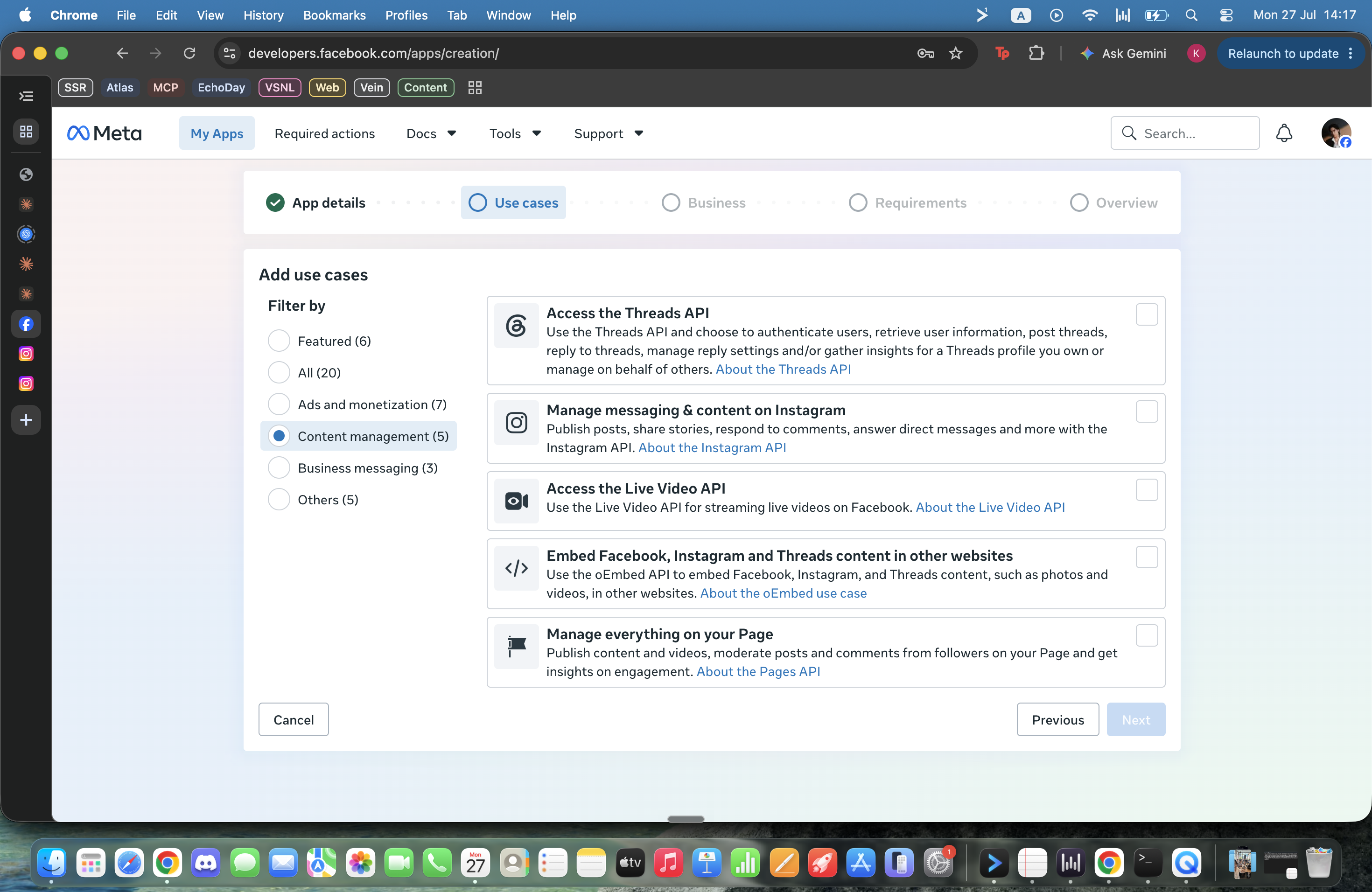
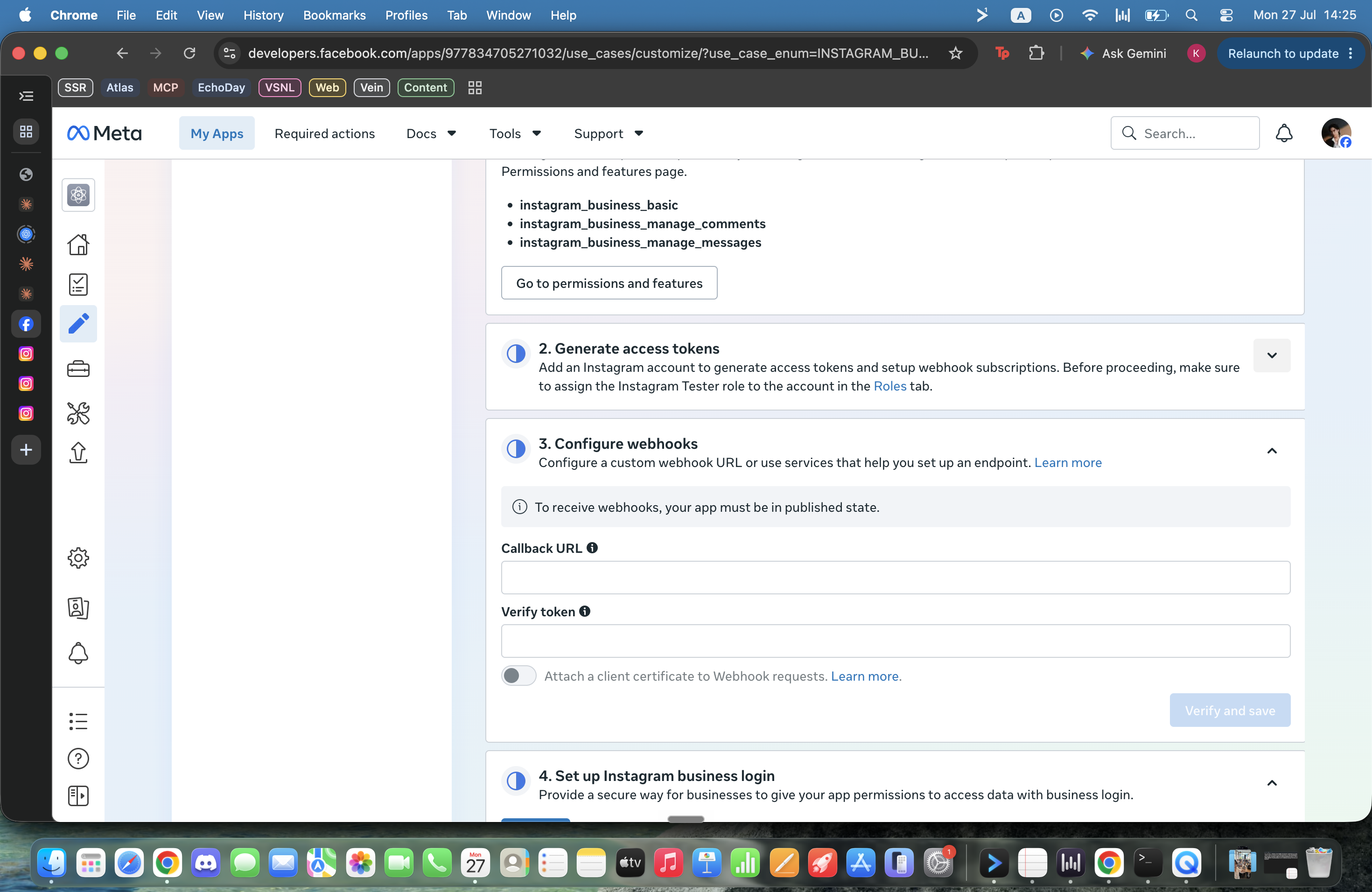
Wake the AI on your machine
ปลุก AI ที่อยู่ในเครื่องคุณอยู่แล้ว
Chatbot
= an advisorแชทบอท = ที่ปรึกษา
Agent
= an employeeเอเจนต์ = พนักงาน
an advisor tells you how — an employee goes and does itที่ปรึกษาแนะนำแล้วคุณไปทำเอง — พนักงานลงมือทำเลย
THE OFFICIAL MAP · เดินตามคู่มือทางการ
Open the official Quick Startคู่มือทางการมีขั้นตอนครบและอัปเดตเสมอ — เราจะเดินตามมันด้วยกัน
02Codex CLI — the equivalent alternativedevelopers.openai.com/codex/cliCODEX
official docs stay updated — when in doubt, follow themถ้าจอผมไม่ตรงกับของจริงตรงไหน — เชื่อคู่มือทางการ
STEP 1 / 4
Open the Terminalเปิดเทอร์มินัล
Mac ⌘ + Space → "Terminal" Windows ⊞ Win → "PowerShell"
✓ you can see it & type in it = pass
YOU ALREADY KNOW HOW · คุณใช้เป็นอยู่แล้ว
It's the same chat — this one has handsมันคือแชทตัวเดียวกัน — แค่มีมือ
ChatGPT ▾
How can I help?
Write a caption for this post↑
THE CHAT YOU KNOW
~ %
> Write a caption for this post
SAME CHAT, WITH HANDS
typed exactly the same — but the right one saves files & remembers your brandพิมพ์เหมือนกันเป๊ะ — แต่ฝั่งขวาเก็บงานให้ จำแบรนด์คุณได้
STEP 2 / 4
Install Claude — one commandติดตั้งด้วยคำสั่งเดียว — copy จาก SETUP.md ไม่ต้องพิมพ์ตามจอ
SETUP.md
# Mac > curl -fsSL https://claude.ai/install.sh | bash
# Windows (PowerShell) > irm https://claude.ai/install.ps1 | iex
when it finishes — close the terminal, open it once moreเสร็จแล้ว ปิด Terminal เปิดใหม่ 1 ครั้ง
STEP 3 / 4
Talk to your AI agentเปิด claude แล้วลองคุยกับมันดูก่อน — ให้ชินกับการคุยกับ AI ในเทอร์มินัล
~ %
> claude > Hi! I hear you're an AI agent — you can read files, organize things, plan projects with me, and actually do the work. True?
✓ CHECKPOINT 1 — it replied with a plan · you're talking to an agent
OPTIONAL FAST MODE · วิธีที่ผมใช้เอง
I turn permission prompts off — on a clean machineผมปิดหน้าต่างถามอนุญาต เพื่อให้ AI ทำงานต่อเนื่อง — แต่ใช้บนเครื่องที่แยกและสะอาด
start Claude in fast mode
> claude --dangerously-skip-permissions
WHY I USE IT · เหตุผลของผม
No approval pop-ups. The agent keeps moving.
If you want maximum speed, this is the mode I use.
WHAT CHANGES · สิ่งที่เปลี่ยน
Claude can edit files and run commands without asking.
That is faster — and it removes an important safety checkpoint.
WHERE I RECOMMEND IT · ใช้ที่ไหน
A new workshop computer or separate user account.
No personal archive, client files, production keys, wallets, or irreplaceable data. Keep a backup.
not a class requirement — normal claude mode still completes every exerciseไม่จำเป็นต้องเปิดโหมดนี้ — ถ้าไม่มั่นใจ ใช้โหมดปกติได้ครบทุกขั้น
SOURCE · Anthropic Claude Code CLI reference · “use with caution”
STEP 4 / 4
Now give it its first job — paste ONE lineสั่งงานแรก: วางข้อความ 1 บรรทัด — ที่เหลือ AI ทำเอง
~ %
# paste this one line: Set up my UnlockAI: Social Media workspace. Read and follow every step in https://raw.githubusercontent.com/Kusalin-T/unlockai-social-media/master/BOOTSTRAP.md — if anything breaks, read DEBUG.md in the same repo. Reply to me in Thai.
your AI downloads its own toolbox, checks every piece, and tells you when it's doneAI โหลดกล่องเครื่องมือเอง เช็คของครบเอง เสร็จแล้วบอกเอง — คุณแค่ดู
✓ CHECKPOINT 2 — it says done · reopen claude in the new folder
WHY SOCIAL · ทำไมต้องโซเชียล
Social media is the new TVโซเชียลมีเดียคือทีวียุคใหม่ — และทุกคนมีช่องของตัวเอง
4 in 5
Thais are on socialคนไทย 56.6 ล้านคนอยู่บนโซเชียล
~5 hrs
online, every dayออนไลน์ทุกวัน — ทีวีได้แค่เศษเวลา
FREE
to broadcastขึ้นเวทีนี้ได้ฟรี ไม่ต้องซื้อเวลาโฆษณา
Prime time isn't 8 PM anymore — it's every unlock of the phoneprime time ไม่ใช่ 2 ทุ่มอีกต่อไป — คือทุกครั้งที่คนหยิบมือถือขึ้นมา
THE NEW FUNNEL · ลูกค้าเริ่มที่หน้าฟีด
Every customer journey starts with a scrollทุกการซื้อวันนี้ เริ่มจากนิ้วโป้งไถฟีด — เห็น → เชื่อ → ซื้อ จบในแอปเดียว
88%
of Thai shoppers buy on social — world #1นักช้อปไทยเคยซื้อผ่านโซเชียล — อันดับ 1 ของโลก
3×
the global averageคนไทยสั่งผ่านโซเชียลถี่กว่าค่าเฉลี่ยโลก 3 เท่า
5.6B
people on social worldwideคนทั้งโลกบนโซเชียล — โตขึ้น ~2.5 เท่าใน 10 ปี
Your stage · your storefront · your superpowerอินฟลูเอนเซอร์ = เวทีของคุณ · เจ้าของธุรกิจ = หน้าร้านของคุณ · พนักงาน = ซูเปอร์พาวเวอร์ของคุณ
WHY COMMENT-TO-DM · ทำไมท่านี้ถึงชนะ
The comment is public — the conversation is personalคอมเมนต์คือประตูสาธารณะ — DM คือห้องคุยส่วนตัว
you are not teaching a new habit — you are opening the door they already useเราไม่ได้บังคับให้ลูกค้าทำอะไรใหม่ — แค่เปิดประตูไปยังห้องแชตที่เขาใช้อยู่แล้ว
SOURCE · Meta business messaging · May 2022
THE RECEIPTS · เมื่อต่อ AI เข้ากับโซเชียล — ตัวเลขจริง 3 สัปดาห์
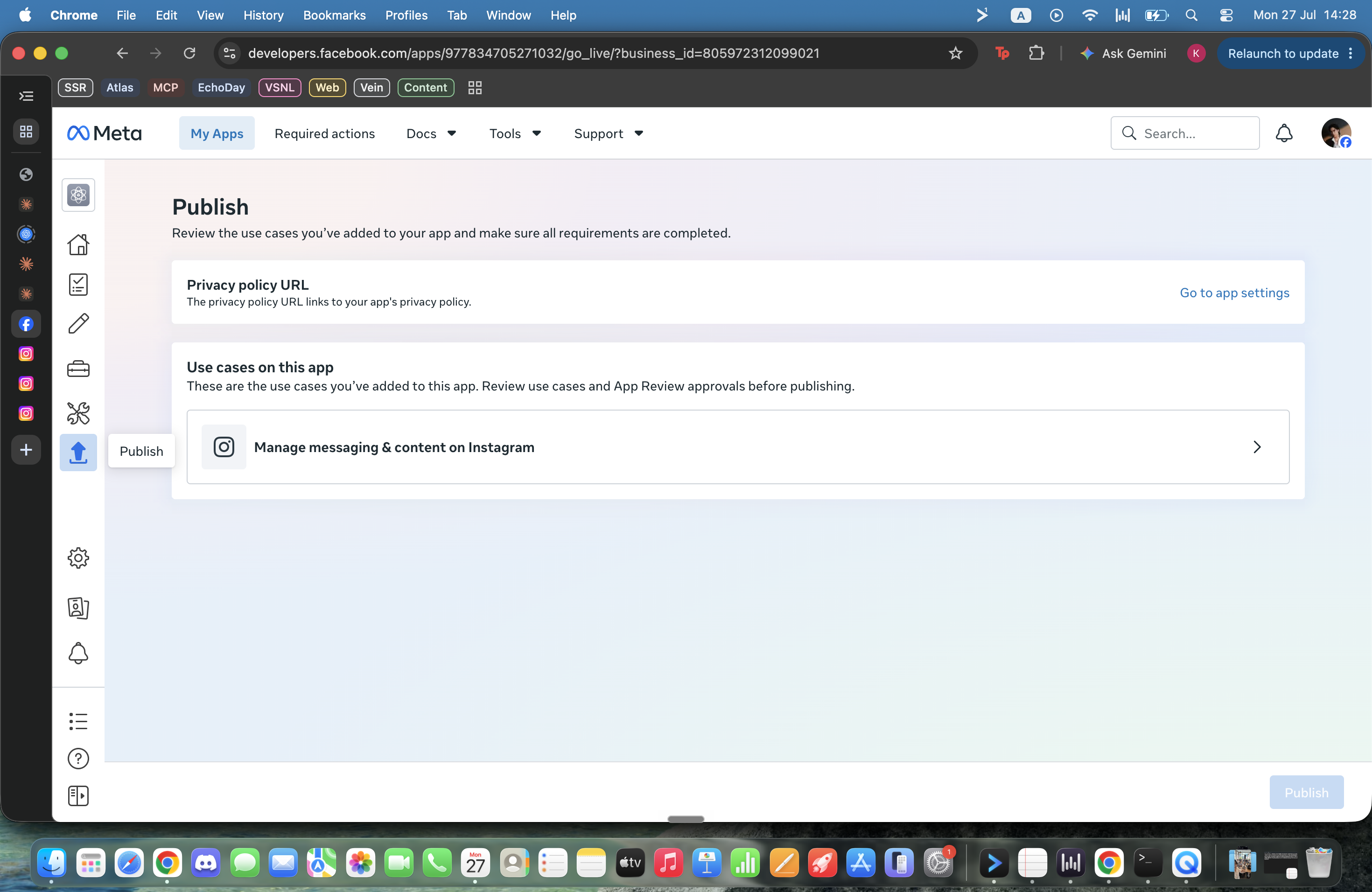
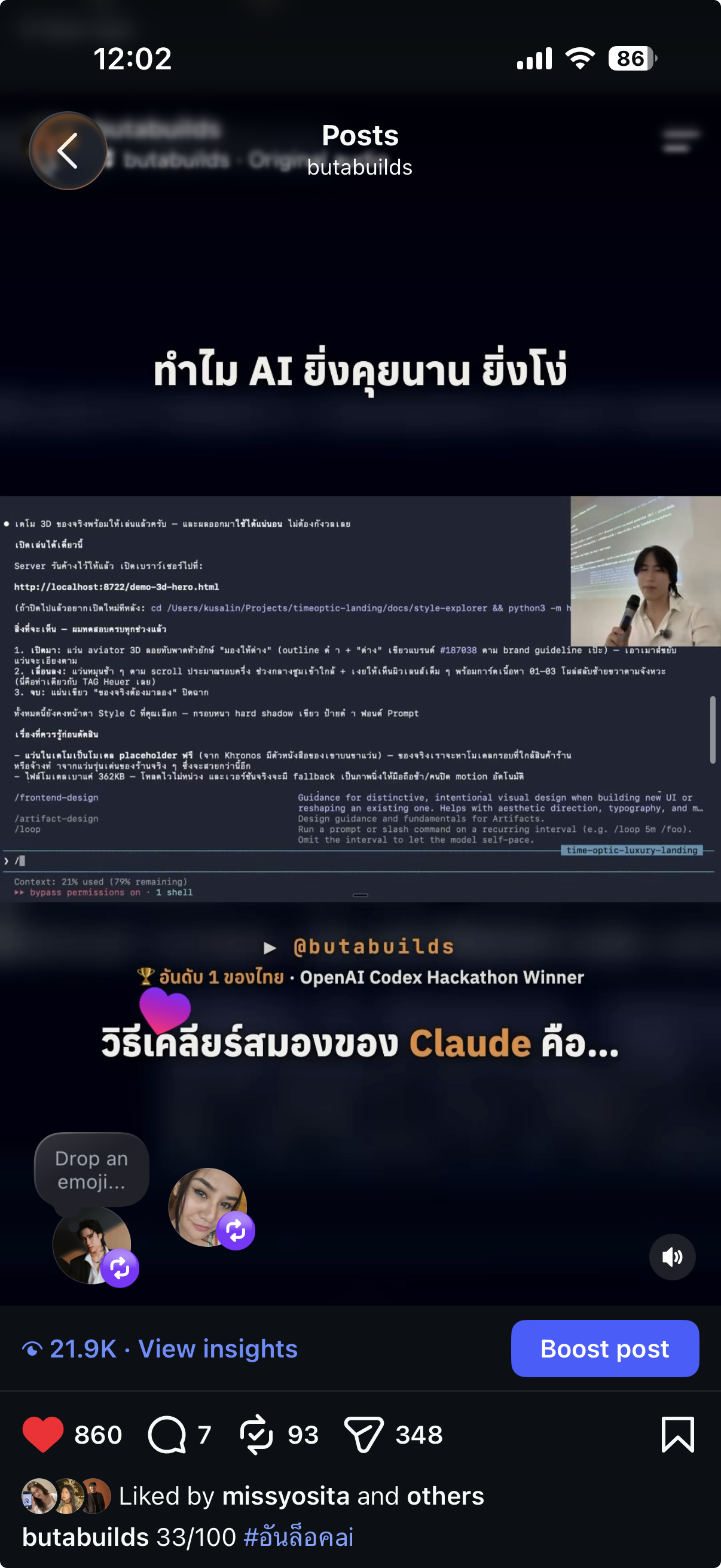
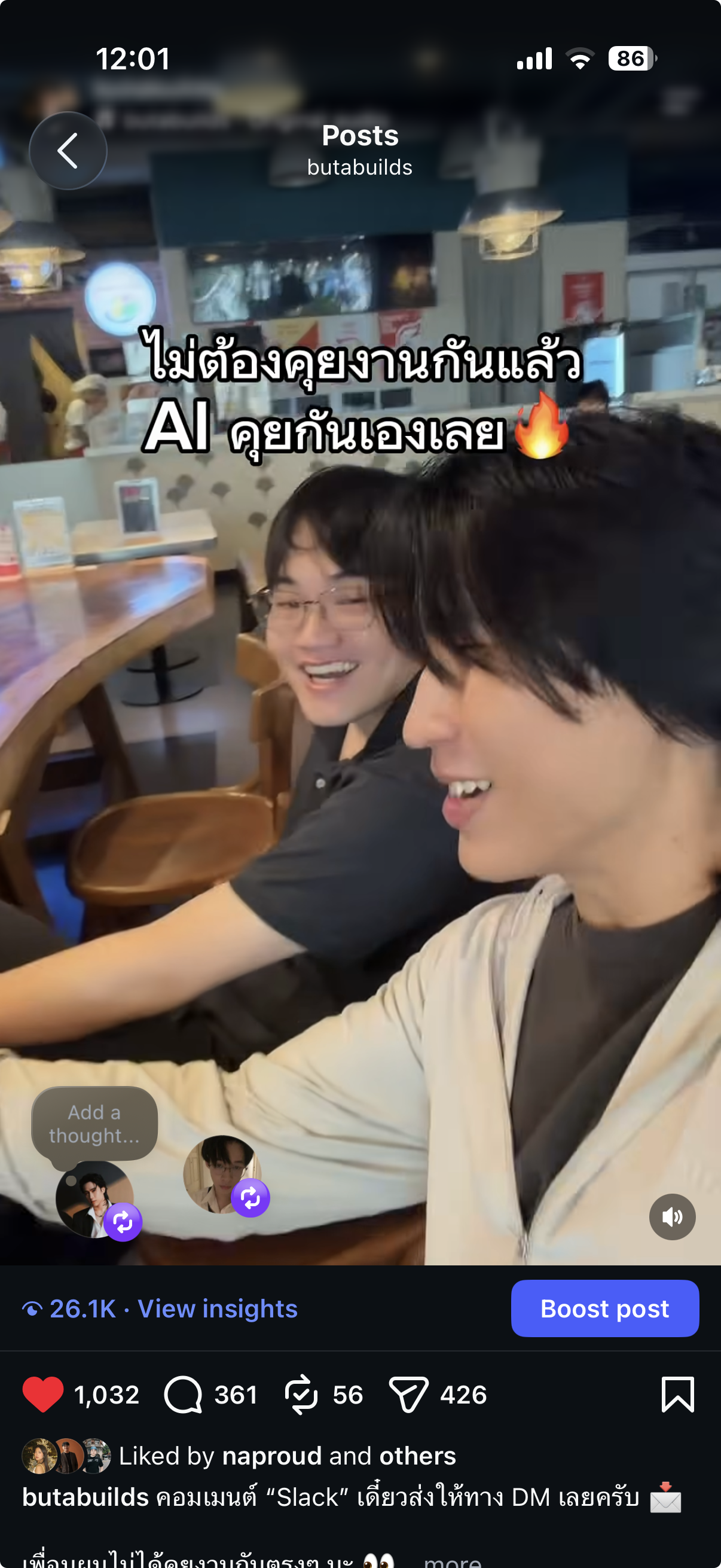
Real posts. Real comments. Real DMs.ตัวเลขรวมอยู่ซ้าย — โพสต์ที่ทำให้เกิดตัวเลขอยู่ขวา
56,446
views · ยอดวิว
3,975
engagements
662
comments
665
shares
518
saves
+603
followers
329 DMssent by the bot — not meส่งโดยบอททุกฉบับ
21.9K views · 348 sends
26.1K views · 361 comments
13.5K views · 156 comments
BEYOND THE BOT · ต่อ AI กับโซเชียลแล้ว ปลดล็อคอะไรได้อีก
Comment-to-DM is just the first unlockบอทตอบคอมเมนต์คือแค่ด่านแรก — agent ในเครื่องคุณทำได้มากกว่านั้นเยอะ
01See what's going viral on other pages — and why it worksดูได้ว่าเพจอื่นคลิปไหนกำลังปัง — และเพราะอะไรSCOUT
02Turn a winning video into your own hook + script — you just filmให้ AI แกะคลิปดังเป็น hook + สคริปต์ของคุณ — คุณแค่ถ่ายSCRIPT
03Dump your footage on the AI — it edits along the recipe you setถ่ายเสร็จโยนไฟล์ให้ AI — มันตัดต่อตามสูตรที่คุณวางไว้EDIT
Your AI workbench — from thought to repeatable workจากความคิด → งานจริง → สูตรที่ใช้ซ้ำได้
Wispr Flow
speak the briefพูดสิ่งที่คิด
→
🛠️
AI agent
understands + actsเข้าใจและลงมือ
→
📗
Skills + files
the recipe + contextสูตรและข้อมูล
→
GitHub
shared historyสำเนาและประวัติ
private .env stays on your machine · everything else can have a safe historyไฟล์ .env ที่มีความลับอยู่บนเครื่องเท่านั้น — งานอื่นเก็บประวัติอย่างปลอดภัยได้
TODAY · วันนี้ — 4 GATES
01Wake the AI on your machineSETUP
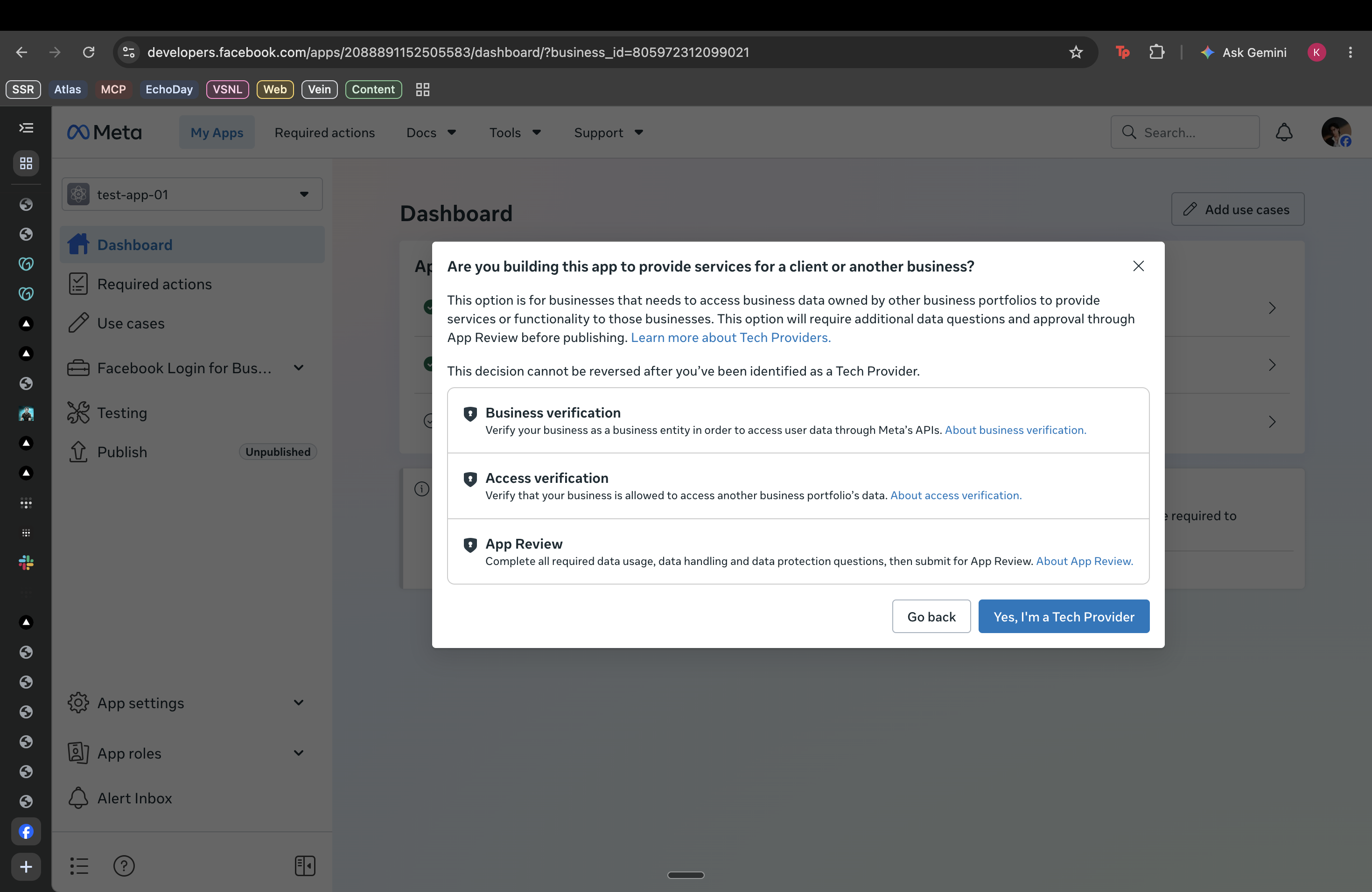
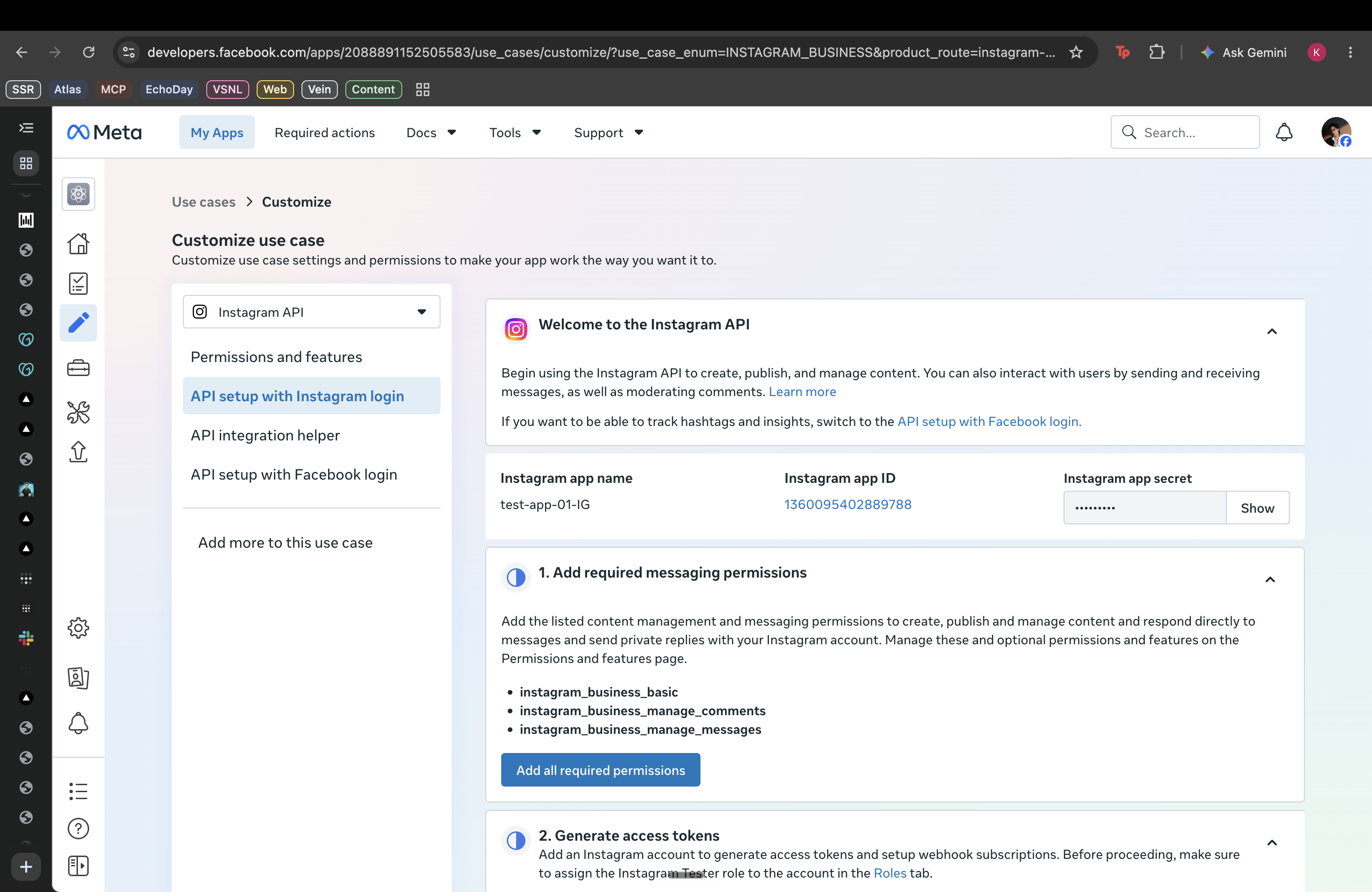
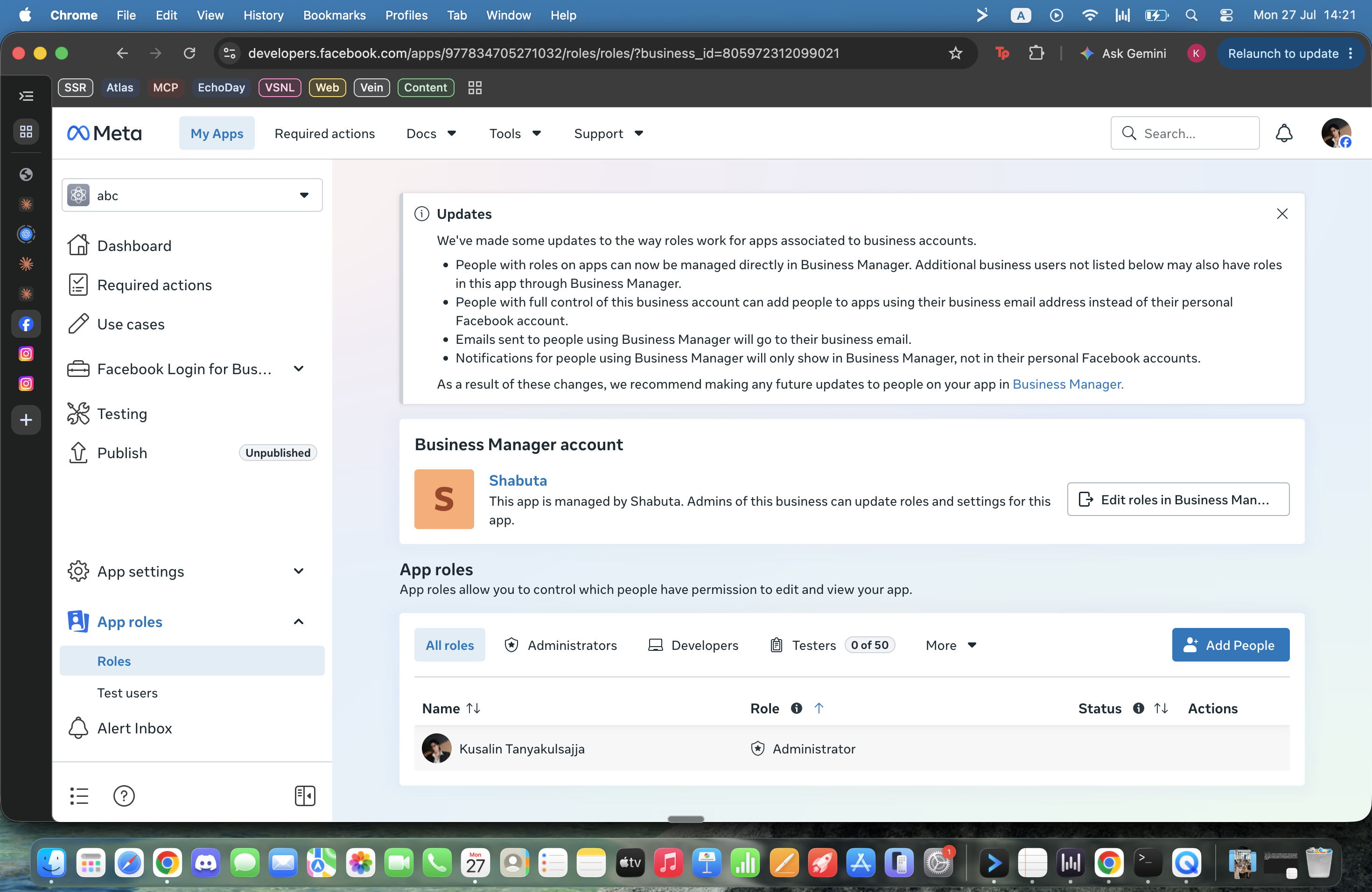
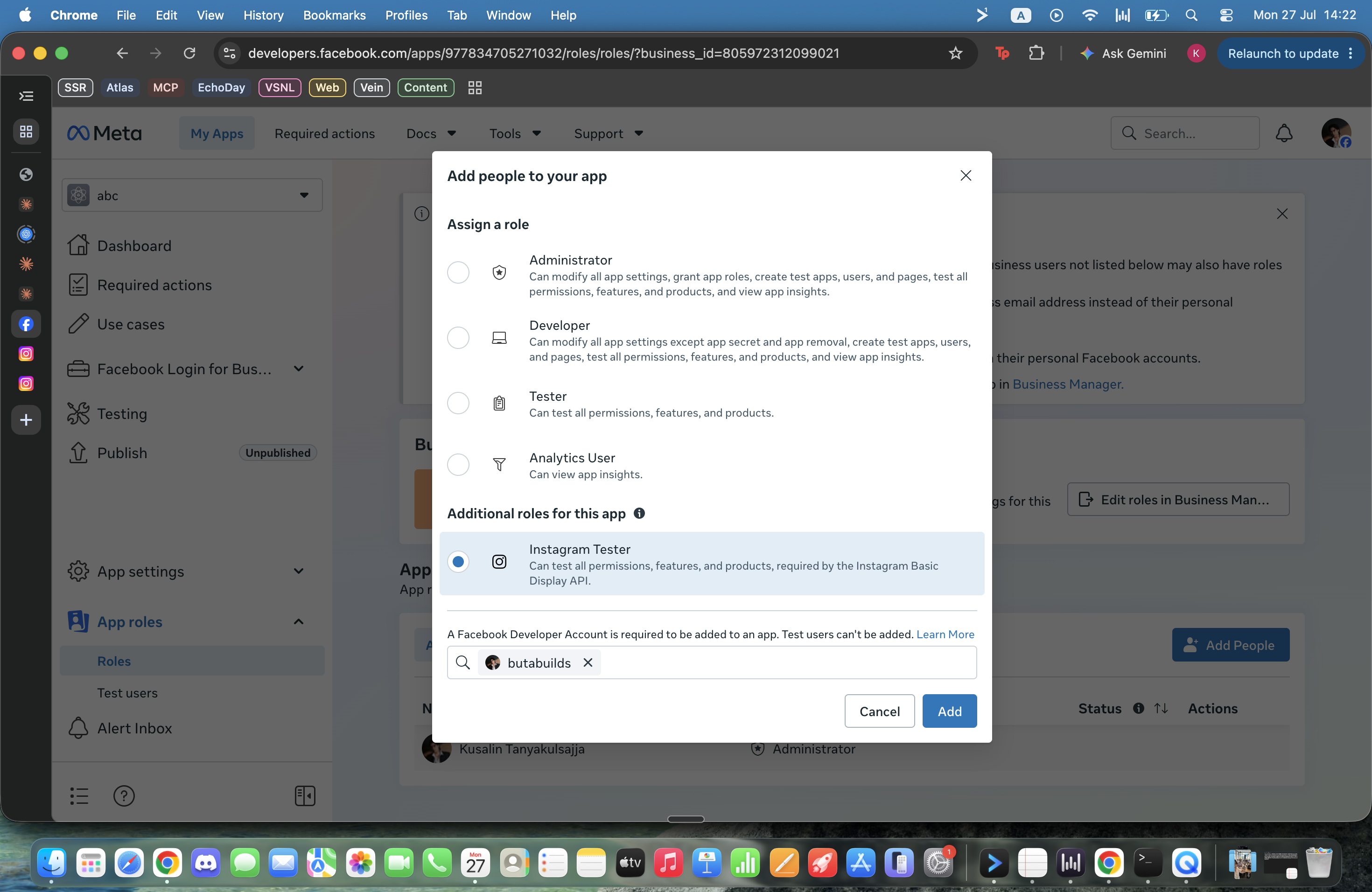
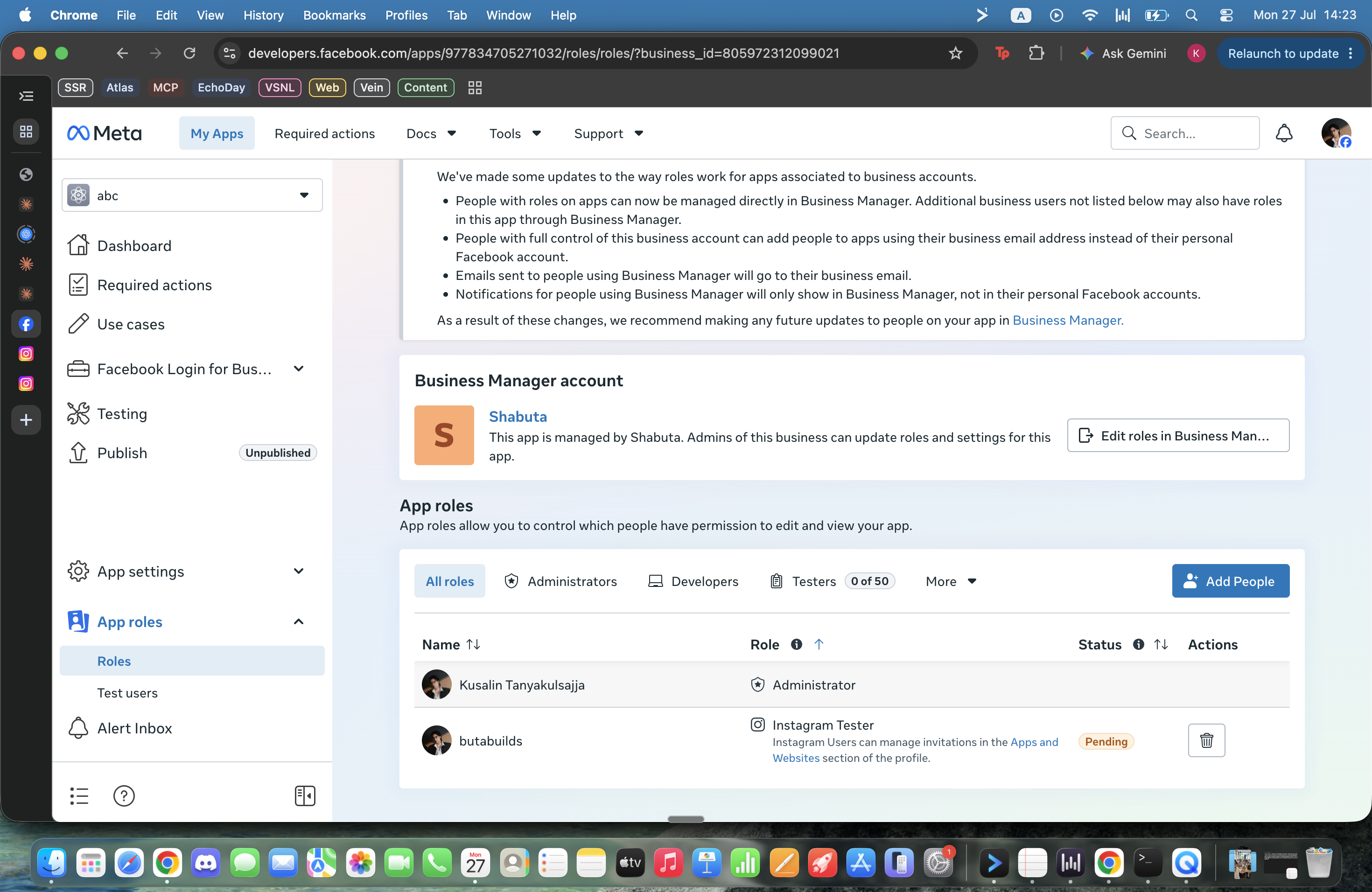
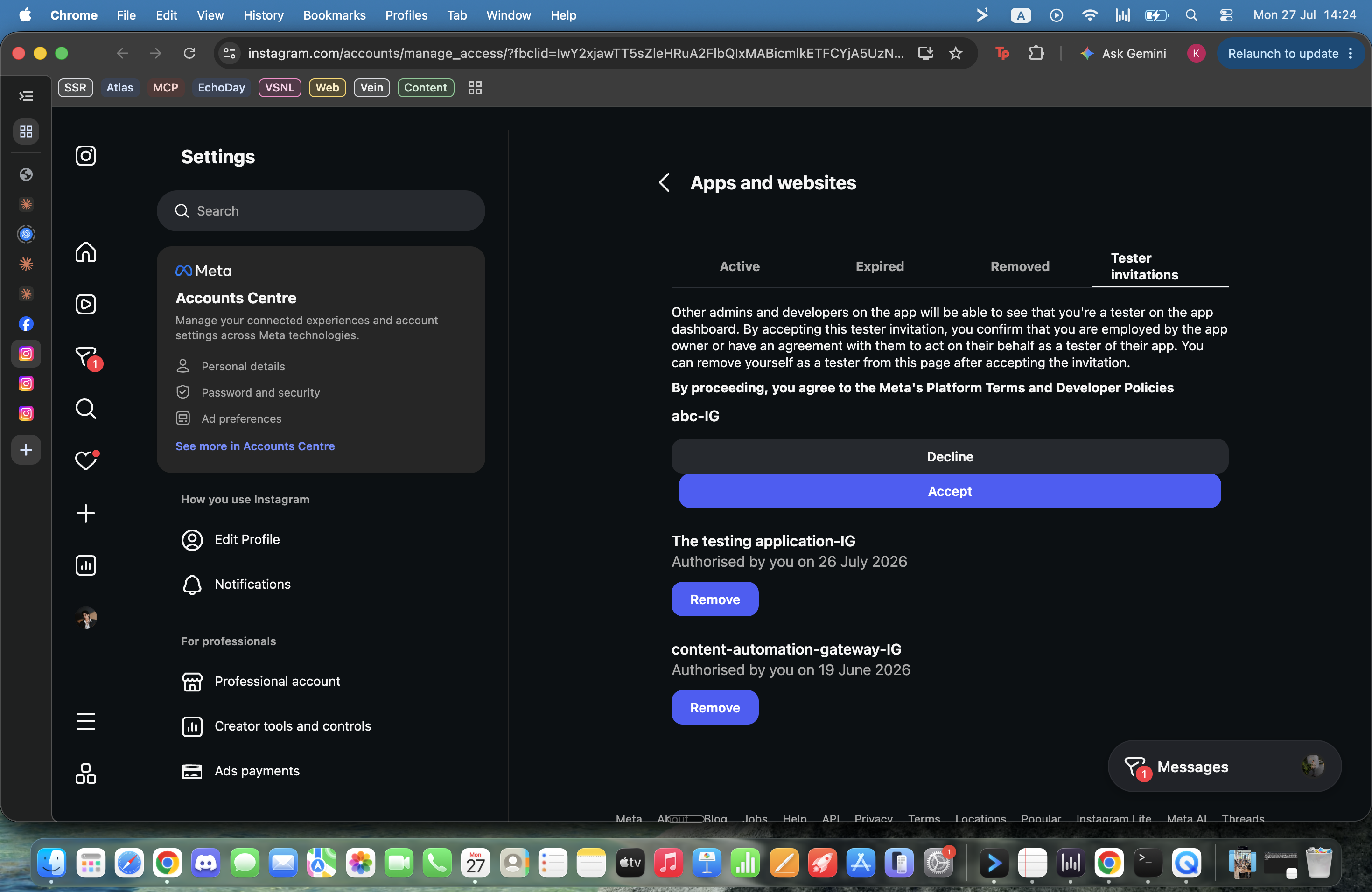
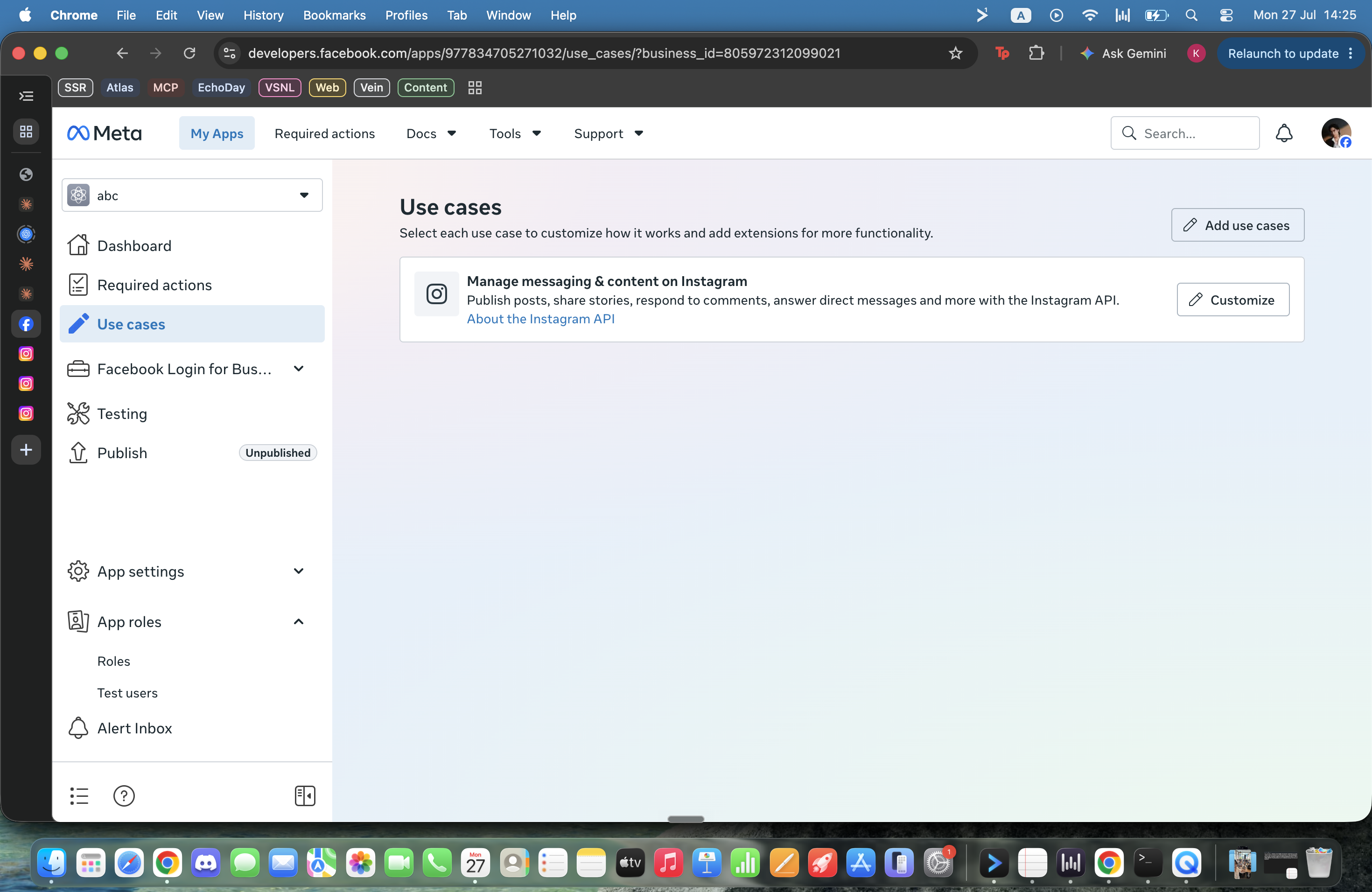
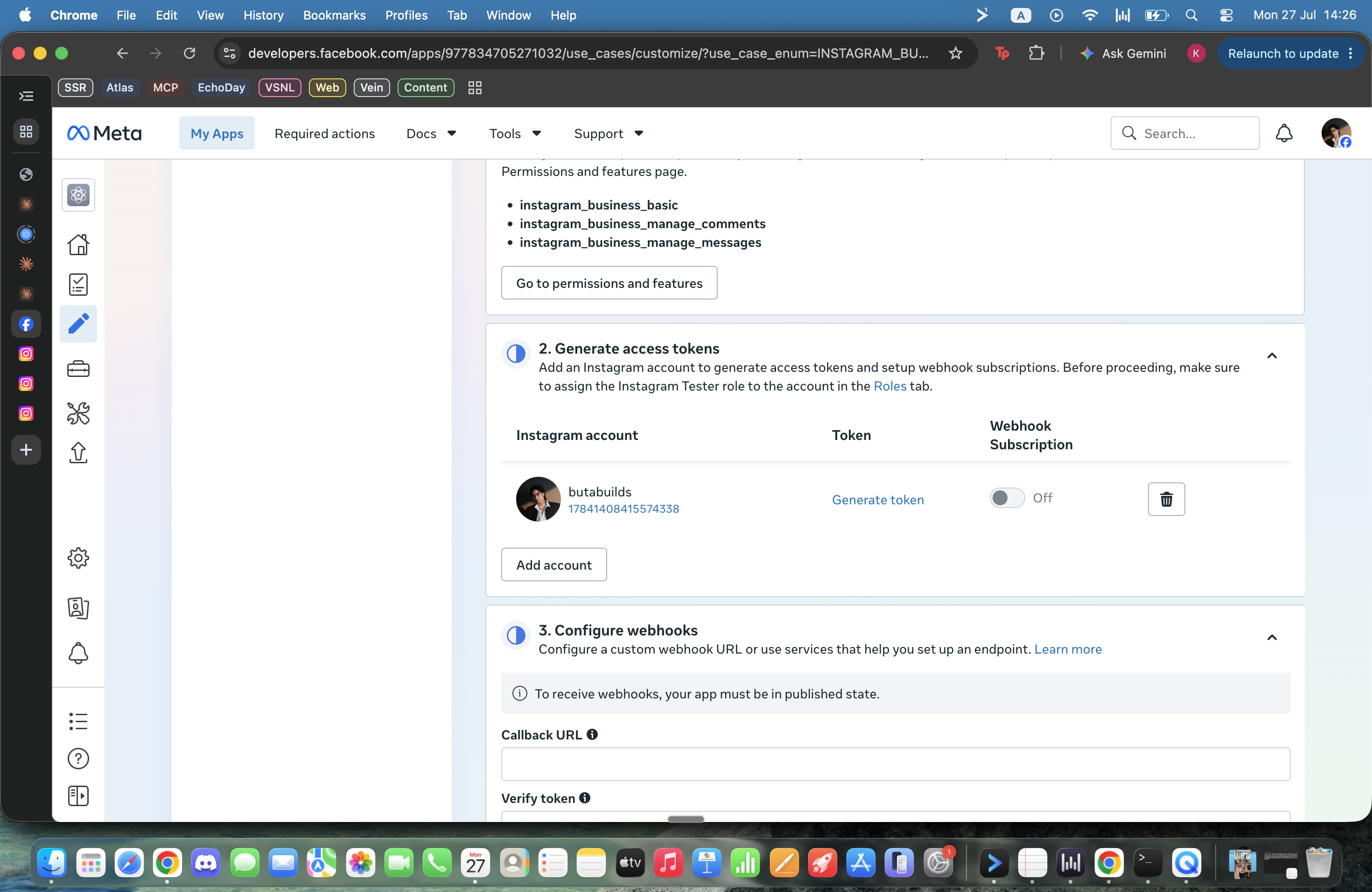
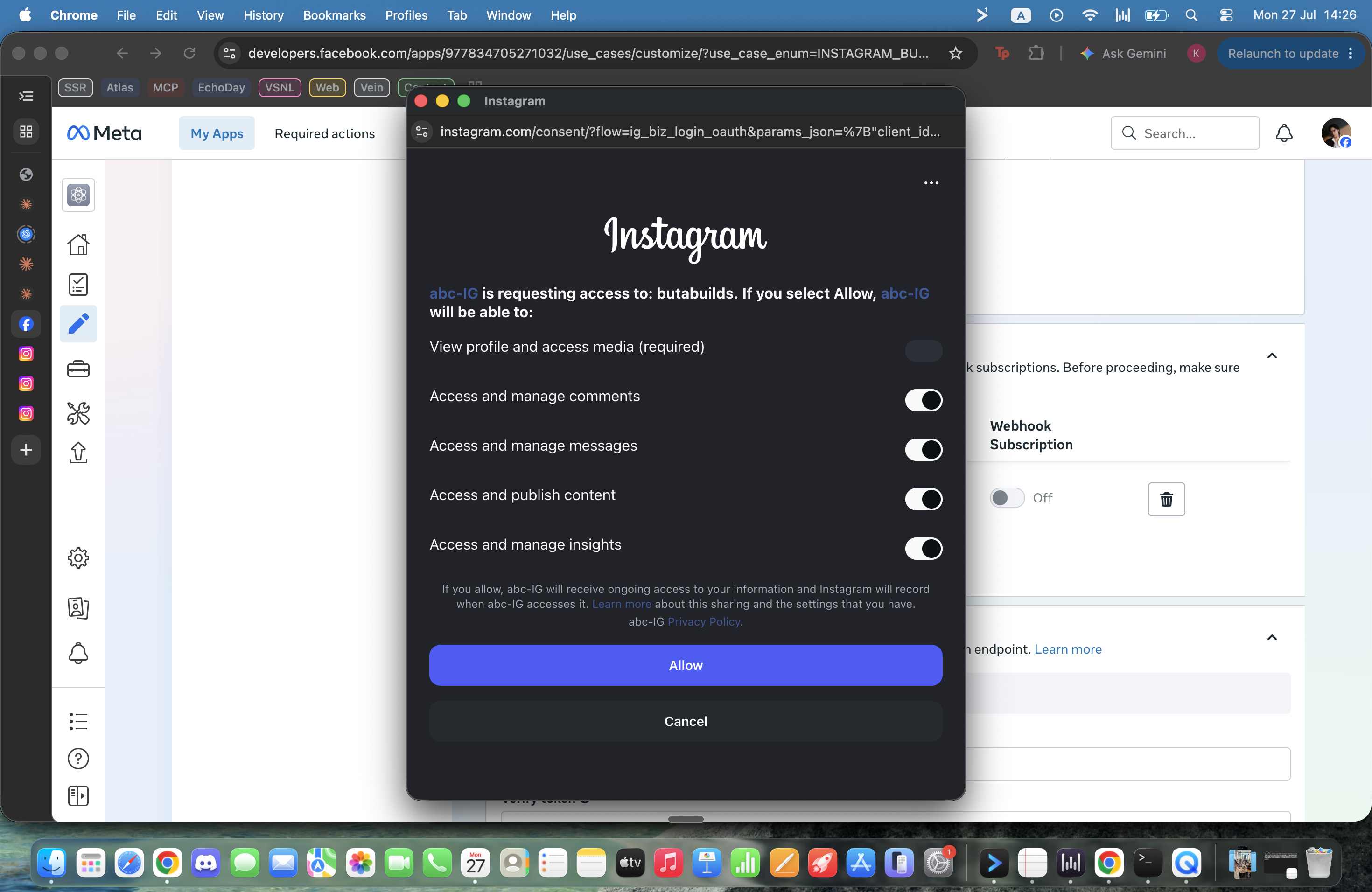
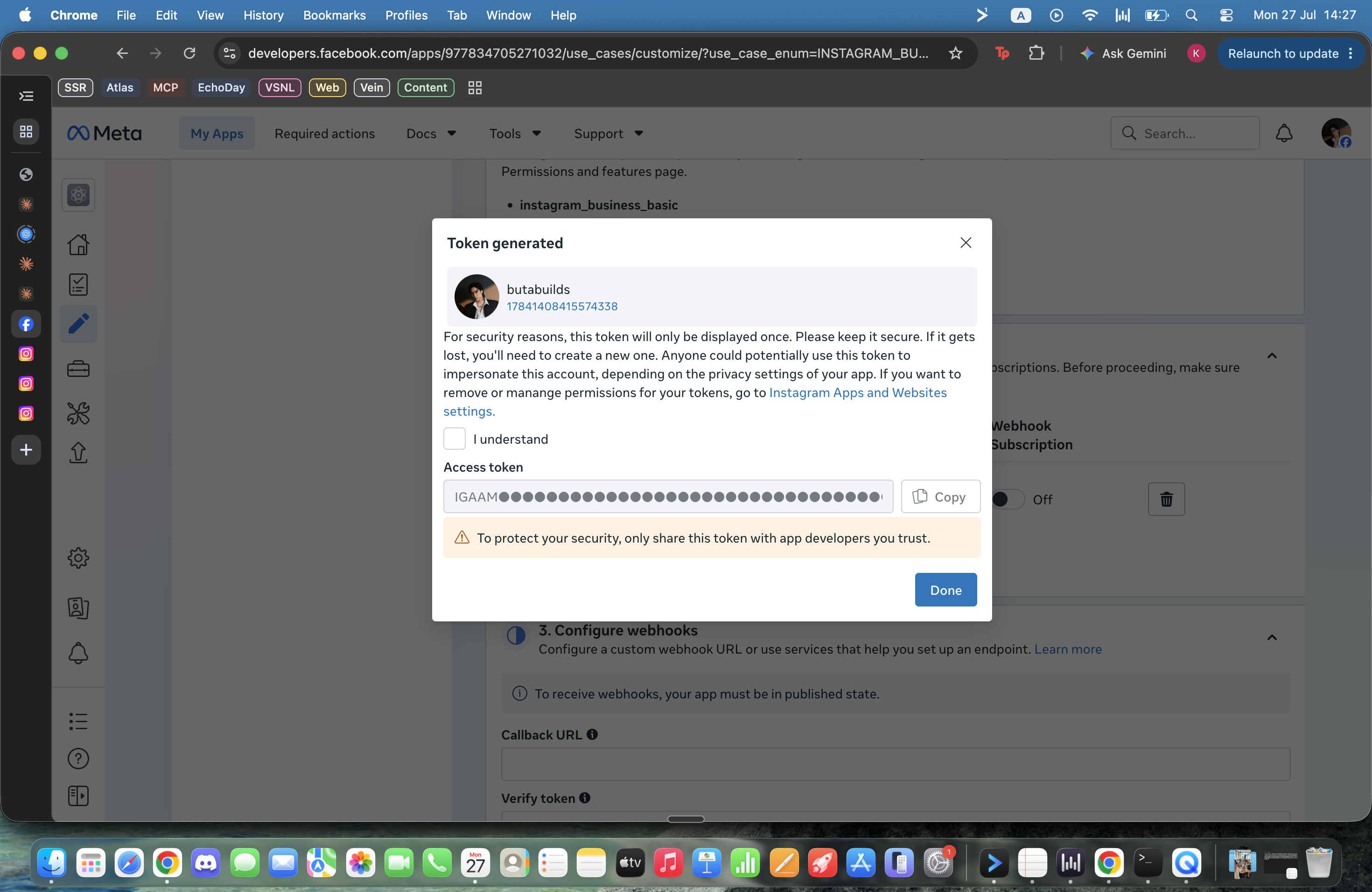
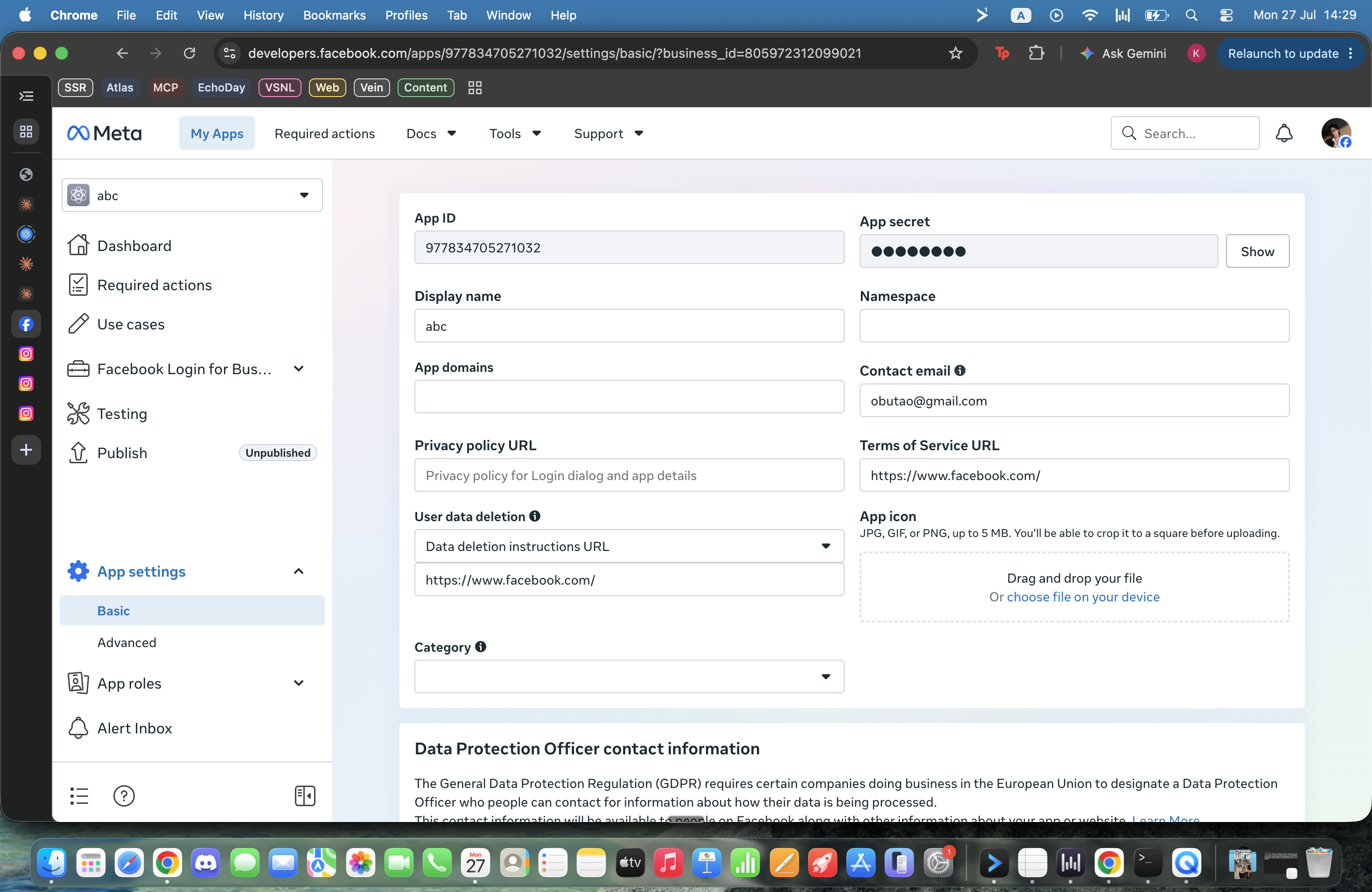
02Connect Instagram — get your own keyMETA
03A bot that answers comments + DMsAUTO
04Explore your skills — teach it your brand & moreEXPLORE
gate 3 — a bot live on your real page · gate 4 — see what else it can doจบด่าน 3 บอทตอบลูกค้าบนเพจจริง · ด่าน 4 สำรวจว่ามันทำอะไรได้อีก




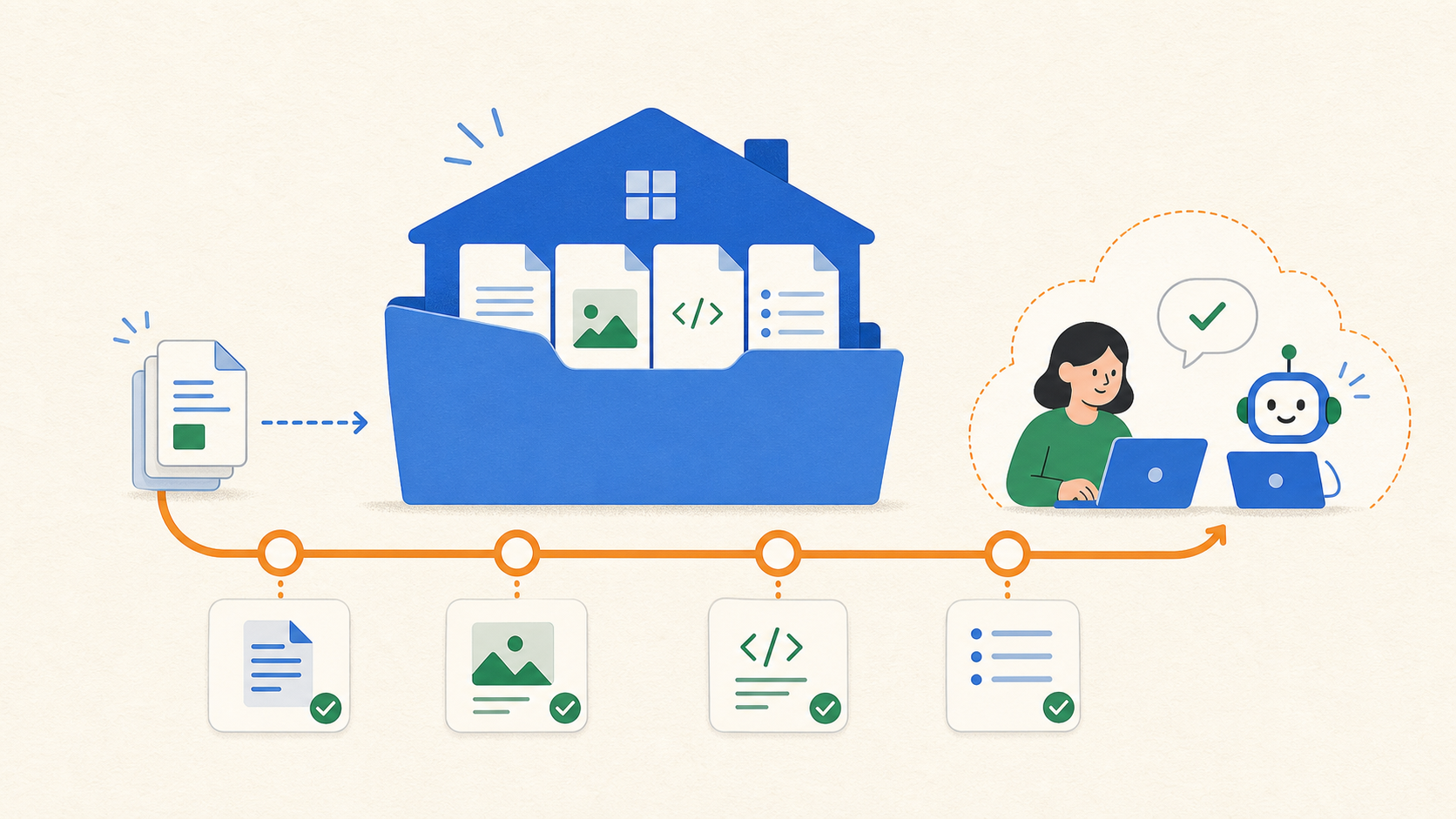
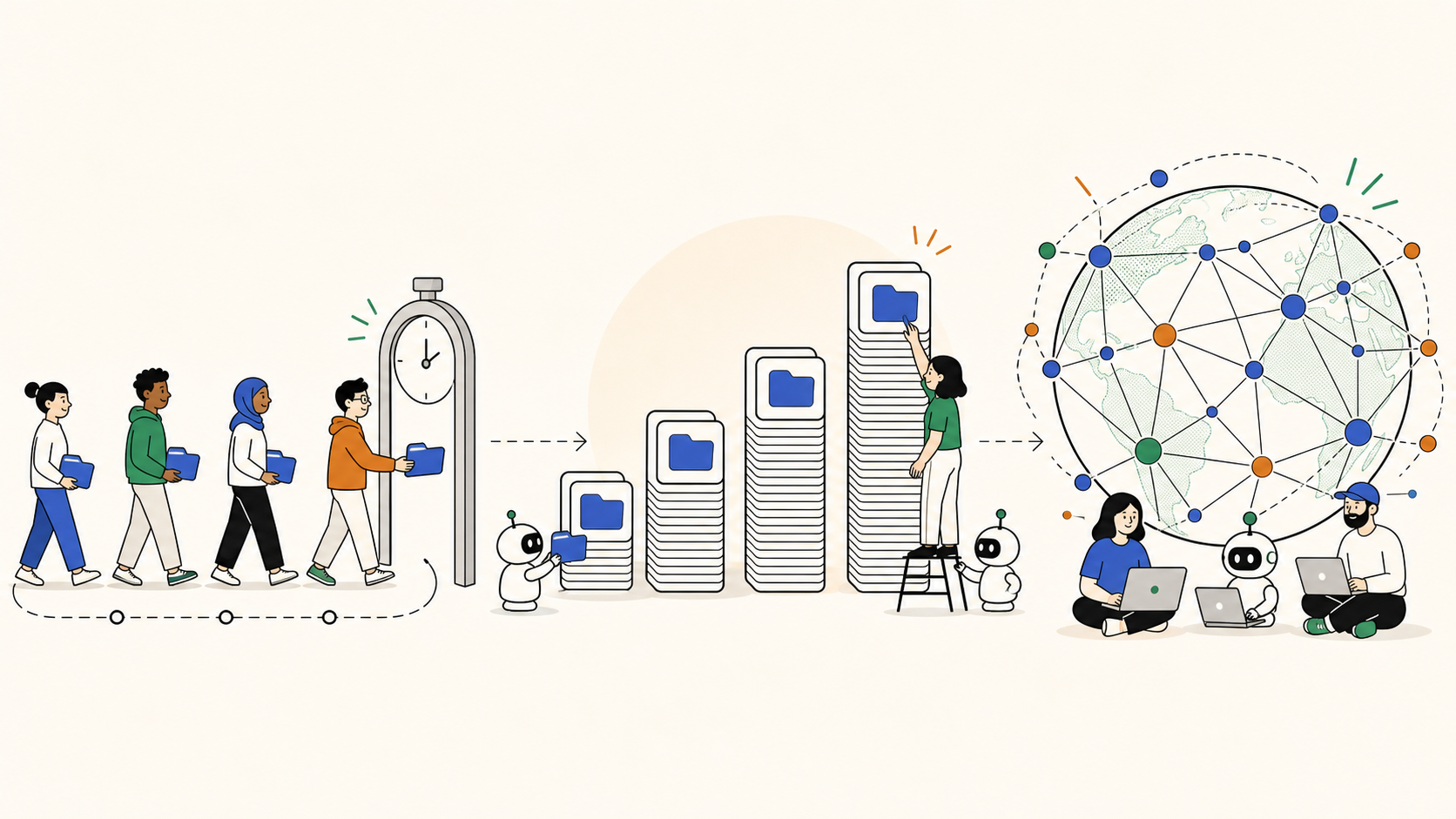


 01Wake the AI on your machineSETUP
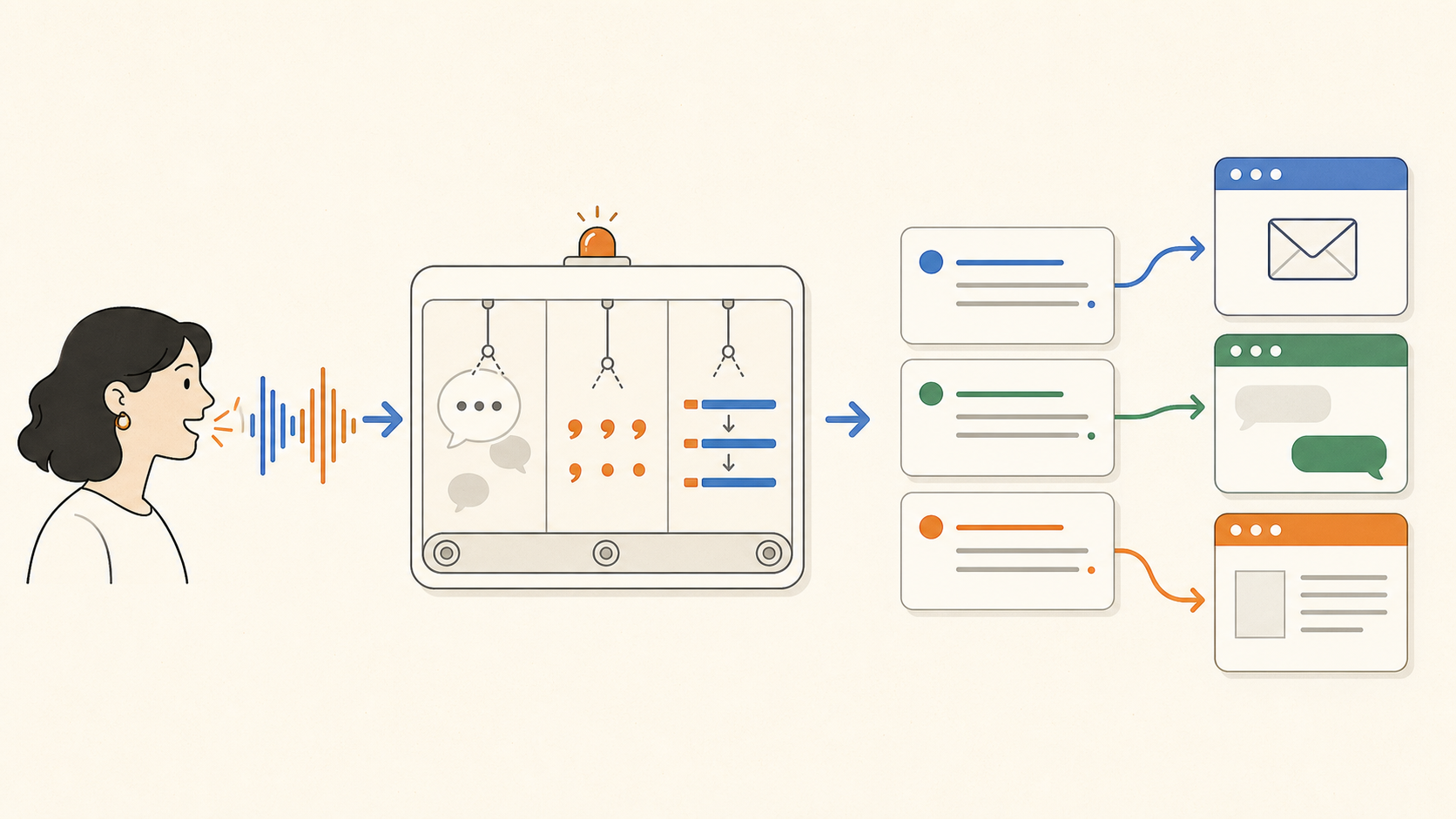
 04Explore your skills — teach it your brand & moreEXPLORE