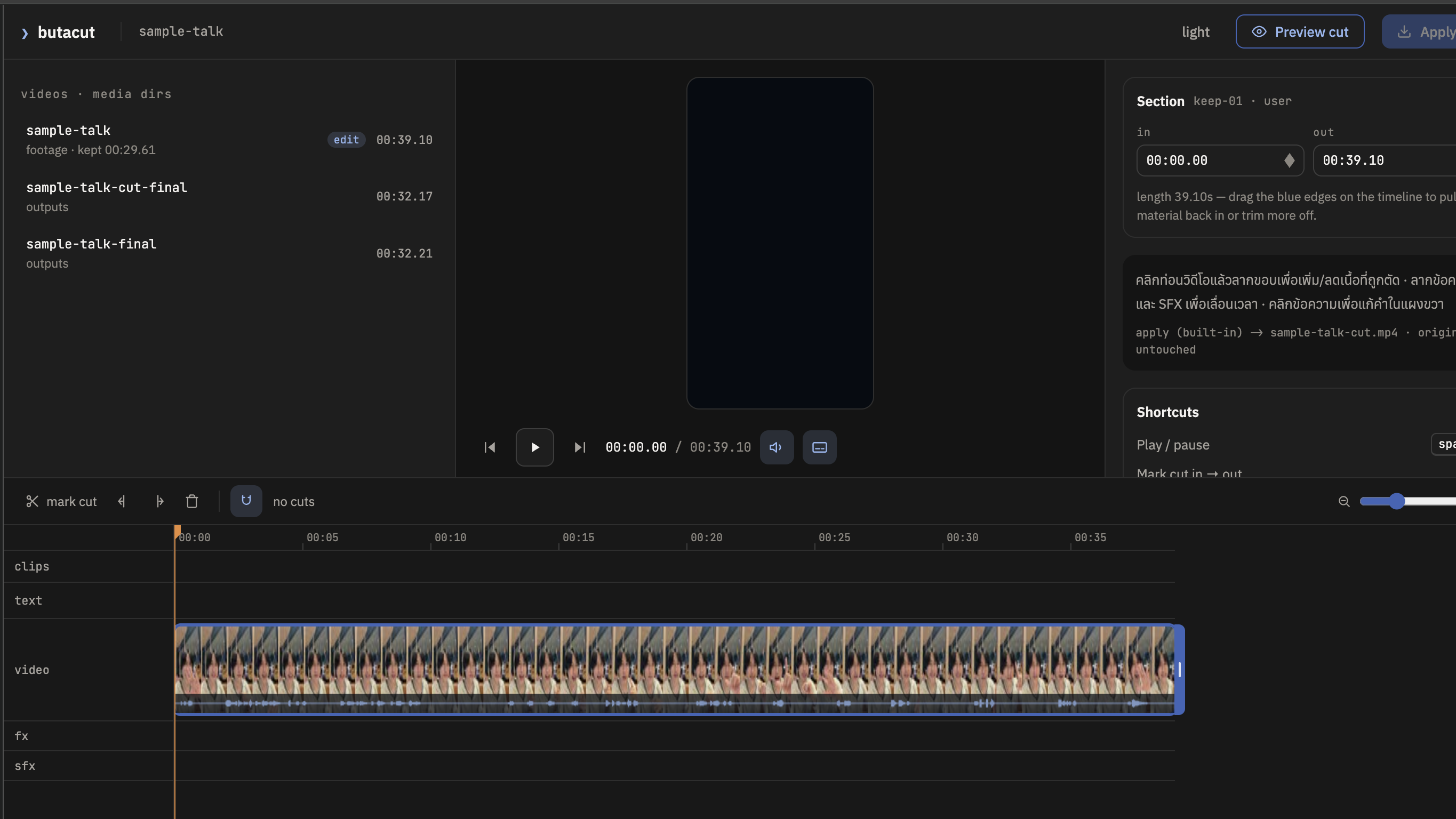
Would you post this?ถ้าจะโพสต์คลิปนี้ ต้องทำอะไรกับมันบ้าง? — จดทุกคำตอบขึ้นกระดาน
PLAY
Watch the uncut sample together
footage/sample-talk.mp4
pauses · repeated takes · dead air · spoken effect cues
buildthe reveal
❯ your whiteboard answers = the pipeline
The 5 jobsพวกคุณเพิ่งออกแบบ pipeline เอง — เครื่องมือรออยู่ในโฟลเดอร์แล้ว
01
Hear the words
speech → text + timing
02
Cut the silence
dead air, gone
03
Cut the mistakes
flubbed takes, gone
04
One-word subtitles
a word pops as you say it
05
Effects on call
say "zoom in" — it zooms
build — job 1/5hear the words
❯ job 1 — hear the words
Every word, with its exact timeเปิดไฟล์ .txt อ่านเอง — ทุกขั้นถัดไปสร้างจาก timestamp พวกนี้
prompt 2 · copy from the materials page
“I want to edit the sample video. First, get me the words: transcribe the sample video so every word has its exact time. Use Groq cloud transcription with the key in .env — I approve uploading the audio to Groq, so don't stop to ask.”
build — job 2/5cut the silences
❯ job 2 — cut the silences
Watch the timeline slice itselfวางแล้วหันไปดูจอ ButaCut ของตัวเอง
prompt 3 · copy from the materials page
“Look at the tools in this folder. I want to cut the silent parts from the sample video — which tool does that? Run it.”
prompt 3b · optional — if the cut isn't tight enough
“The silence cut isn't tight enough: it counted some background noise as me talking, and it left the pauses too long. Run the silence-cut tool again with stricter settings — raise --threshold one step so background noise counts as silence, and lower --min-silence to 0.2 so shorter pauses get cut too. Replace the previous cut and tell me the before/after duration — I'll check the timeline in ButaCut.”
buildunder the hood
❯ what just happened
The agent chose. The tool decided. The file changed.เปิด edit.json ดูจริง ๆ ได้ — มันคือรายการตัดสินใจ ไม่ใช่เวทมนตร์
waveformlisten
→
silences founddetect
→
keep-ranges writtenthe edit file
→
new videorender
buildyour own words · 1st moment
❯ direct the cut
This is where YOU speakแน่นไป? หลวมไป? — บอก agent ด้วยคำของคุณเอง
“Leave more breathing room”“Cut harder”“Undo that”
Look → direct → look again. That's the whole craft.
“When I mess up a line I repeat the same word or phrase. Find every repeated take in my transcript: consecutive identical words or phrases (ignore case and punctuation, at least 2 characters, repeats within 2.5 seconds of each other). Keep only the LAST occurrence and cut the earlier ones by updating the keeps in the project file, per section 6 of butacut/edit-contract.md: pad the cut 0.05s before the flubbed take, end it 0.03s before the kept take, and never let a cut eat a word that stays in. List every cut you made with its timestamp — I'll restore anything you got wrong in ButaCut.”
build — job 4/5one-word subtitles
❯ job 4 — one-word subtitles
One word at a time — exactly when you say itดูจอ ButaCut — แทร็กซับโผล่ทีละคำ
prompt 5 · copy from the materials page
“Turn the transcript into subtitles — one big word at a time, timed to exactly when I say each word (the burst style, the tool's default).”
build — job 5/5effects on call
❯ job 5 — effects when you call them
Say "zoom in" — it zoomsพูดชื่อเอฟเฟกต์ตอนถ่าย = มันเกิดขึ้นตรงคำนั้นเป๊ะ ๆ
prompt 6 · copy from the materials page
“Read my transcript and find every moment where I SAY an effect name: "zoom in", "zoom out", "whoosh", "sound effect", "pop up". Write fx/sfx events into the project file (edit.json) exactly per section 6 of butacut/edit-contract.md: each event fires at that word's start timestamp. "Zoom in" ramps ease-out over ~0.5s to 1.3x and HOLDS until I say "zoom out", which releases back to 1.0 — pair them, and add the whoosh sound to both. "Whoosh" plays assets/sfx/whoosh.mp3, "sound effect" plays assets/sfx/ding.mp3, "pop up" is a card pop-up plus assets/sfx/pop.mp3. Zoom scales only the video — subtitles stay unzoomed. Show me the events on the ButaCut timeline before rendering anything.”
buildthe moment
❯ look at what you did
You just built a pipelineทุกขั้นคือการวางหนึ่งครั้ง — และมันเป็นของคุณแล้ว
transcribejob 1
→
cut silencejob 2
→
cut mistakesjob 3
→
subtitlesjob 4
→
effectsjob 5
Every step was one paste from you.
buildthe director's pass
❯ fix it — then ask what kept breaking
Fix it. Then ask why.ดูคลิปเต็มหนึ่งรอบ — แก้ใน ButaCut หรือพิมพ์สั่งเอง แล้วให้ agent หาว่าอะไรพังซ้ำ
that subtitle stays after the word endsthe cut at 0:12 is wrong — put it backthe zoom is too strong
prompt 7 · copy from the materials page
“I just finished fixing my first cut — I made changes in ButaCut and asked you for corrections in this chat. Re-read the project file (edit.json), compare it with what you originally wrote, and go back through my corrections. List every issue I had to fix, then identify the RECURRING ones and the exact fix that worked for each (example: a subtitle staying on screen after the word is already finished → end each subtitle at the word's end timestamp, not at the next word's start). Save the recurring issues and their fixes to review-notes.md — we'll bake them into my skill next.”
buildmake it reusable
❯ teach it once, use it forever
Make your pipeline a SKILLskill = สูตรที่บันทึกไว้ — agent อ่านเองได้ทุกครั้ง
prompt 8 · copy from the materials page
“Save the pipeline we just ran as a reusable skill named butabuilds-editor-skill. Look back through this whole conversation and collect every step we ran, every preference I stated, and every correction I made along the way — those are my editing preferences. Write them into the skill file together with the tools, the settings that worked, and the recurring fixes from review-notes.md, so next time I only have to say ‘edit this video’.”
Open the file it writes — that's your pipeline, in words. You own it.
buildupgrade the skill
❯ make room for judgment
Plan the effects before adding themคลิปจริงไม่ได้พูดชื่อเอฟเฟกต์ — ให้ skill อ่าน transcript เสนอแผน แล้วรอคุณอนุมัติก่อน
transcripteffect planyour approvalwrite fx / sfx
prompt 8b · update your skill
“Update butabuilds-editor-skill so it chooses effects intelligently for real videos instead of only adding them when the transcript literally says an effect name. Add an effect-planning checkpoint after transcription, cuts, and subtitles but before any fx/sfx are written: read the transcript and propose a short plan for where zoom in, zoom out, whoosh, sound effect, or pop up would strengthen emphasis, pacing, or clarity. For each suggestion, show the timestamp, the transcript phrase, the effect, and one short reason. Use effects sparingly; it is okay to suggest none. Show me the plan and wait for my approval or changes. Only after I approve may you write the effects to edit.json and render. Save this rule in the skill.”
buildthe payoff
❯ run it again
Delete it. Then run the skill.ลบไฟล์ final แล้วสั่งทำใหม่ — เพื่อพิสูจน์ว่า skill จำทั้ง workflow ได้
prompt 9 · copy from the materials page
“delete the final version. now edit the sample video again with butabuilds-editor-skill”
buildfree experiment
❯ make it yours — free play
Direct your agent. Your words.จุดที่สองที่พิมพ์เอง — แล้วชวน agent แก้ skill ให้จำ setting ที่ชอบ
subtitles higher / lowerbigger fontcut more aggressivelydifferent opening
buildlevel up
❯ level up — the finish
One extra move.ปุ่ม Apply cut ใน ButaCut — จบงานเป็นไฟล์จริง
13Finish — render the real fileclick Apply cut in ButaCut → it writes a prompt for your project → paste it to your agent
04RECEIPTSthe editing bill and the working days that never disappearedR
field guide · 01why social
01
❯ chapter one
Why social.
AI lowers the cost of making things. Social media gives those things distribution, trust, and feedback.AI ทำให้ผลิตงานถูกลง — social media ทำให้งานนั้นมีคนเห็น เชื่อ และส่งข้อมูลกลับมาให้เราพัฒนา
socials 1/5the new prime time
❯ the biggest free stage in history
Social media is the new TVทุกคนมีช่องของตัวเอง — และ prime time คือทุกครั้งที่คนหยิบมือถือ
PRIME TIME · EVERY UNLOCK
79.1%
of Thailand's population56.6M social-media user identities
5.79B
identities worldwidesocial is a global supermajority
฿0
to broadcastthe same stage once reserved for giant brands
DATA · DataReportal Digital 2026 Thailand + Mid-Year Global Update
socials 2/5the feed is the front door
❯ discovery starts before the search
The feed is your front doorคนเห็น → เริ่มเชื่อ → ทัก → ซื้อ — ทั้งหมดเกิดได้จากการไถฟีดครั้งเดียว
SCROLLattention
SEE YOU AGAINfamiliarity
TRUSTproof
MESSAGE · BUY · JOINaction
#1
Social ads are the top brand-awareness driver for audiences aged 16–34.
DATA · DataReportal Digital 2026 Global Overview
socials 3/5content compounds
❯ every post teaches the next one
A post is an asset that learnsโพสต์หนึ่งชิ้นให้ทั้งคนเห็น ความน่าเชื่อถือ ข้อมูล และวัตถุดิบของชิ้นถัดไป
CONTENT COMPOUNDS
PUBLISH
DATA
LEARN
BETTER CONTENT
DistributionOne useful idea can reach people while you sleep.
TrustRepeated proof makes the next message easier to believe.
FeedbackSaves, shares, comments, and watch time teach the next post.
socials 4/5the one-person media engine
❯ AI changes the economics of consistency
One person can run a media engineเสียงและมุมมองยังเป็นของคุณ — งานซ้ำรอบ ๆ มันกลายเป็นระบบ
01ResearchAGENT
02DraftAGENT
03Film + voiceYOU
04EditAGENT
05ApproveYOU
06LearnSYSTEM
Your face. Your judgment. Your voice. A system handles the repetition around them.
SOURCE · Instagram Graph API snapshot · 9 Aug 2026
field guide · 02daily AI
02
❯ chapter two
Daily AI.
The master habit is removing friction between your thought and the agent's input.ทุกวินาทีระหว่างความคิดกับคำสั่ง คือจุดที่คนเลิกใช้ AI
daily AI 1/7remove friction
❯ the meta-principle
My AI stack starts with friction, not promptsถ้าการเริ่มคุยกับ AI น่าเหนื่อย — แก้วิธีส่งความคิดเข้าไป ไม่ใช่ฝืนวินัย
THOUGHT → WORK
VOICEinstead of typing — give five times more context without polishing it
SCREENSHOTinstead of describing — exact visual context in one paste
FILESinstead of re-explaining — memory that survives every new chat
daily AI 2/7dictation — what
❯ speak, don't type
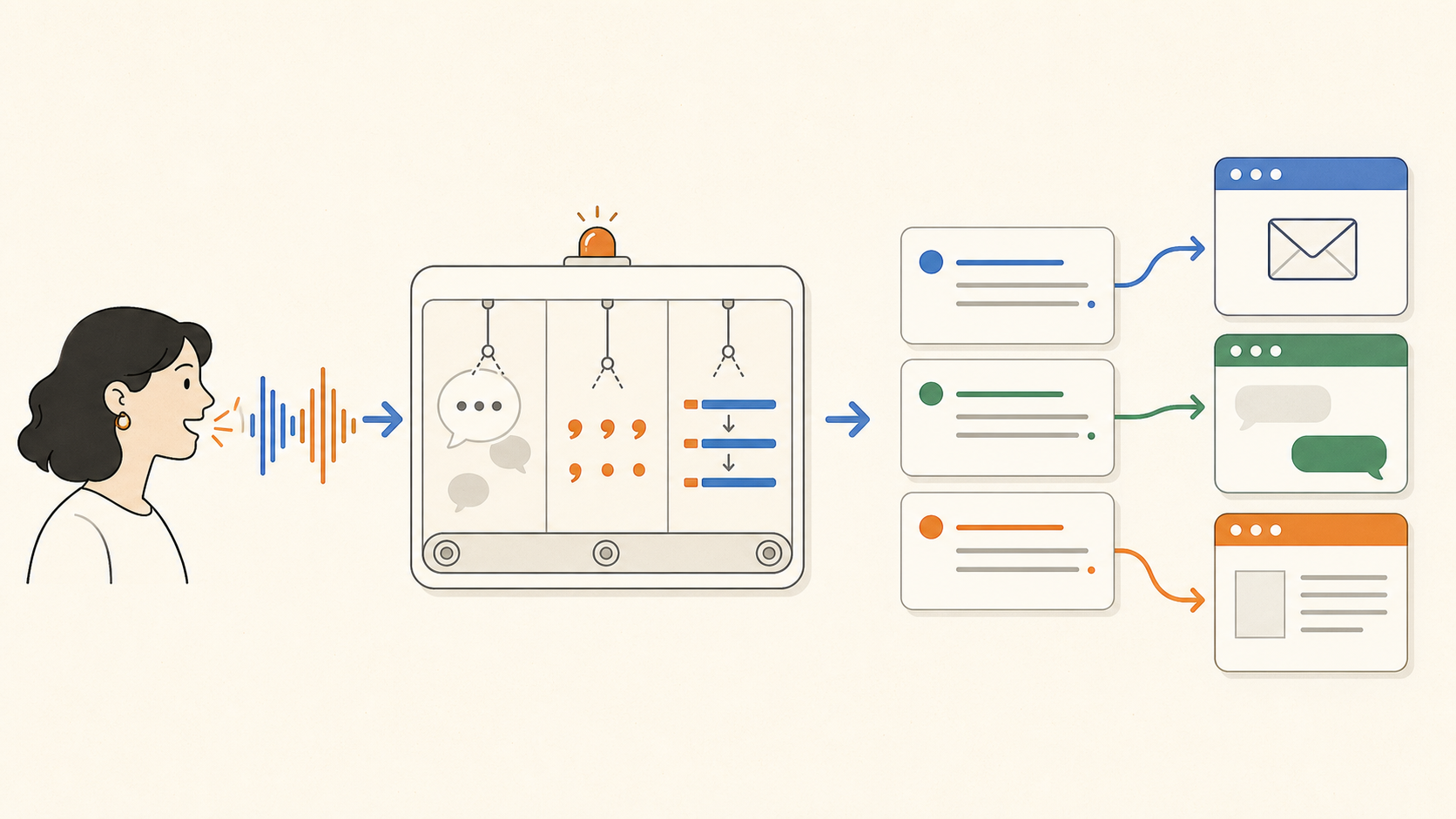
Speak naturally — get clean text anywhereพูดไทยปนอังกฤษได้ พูดยาวได้ พูดเลอะได้ — agent จัดให้
Voice → polished text
I brief the agent like a colleague. Long context dumps that take ten minutes to type take one minute to say.
“Spoken messy beats typed perfect.”
INFOGRAPHIC · based on Wispr Flow product UI
daily AI 3/7dictation — why
❯ more context, less friction
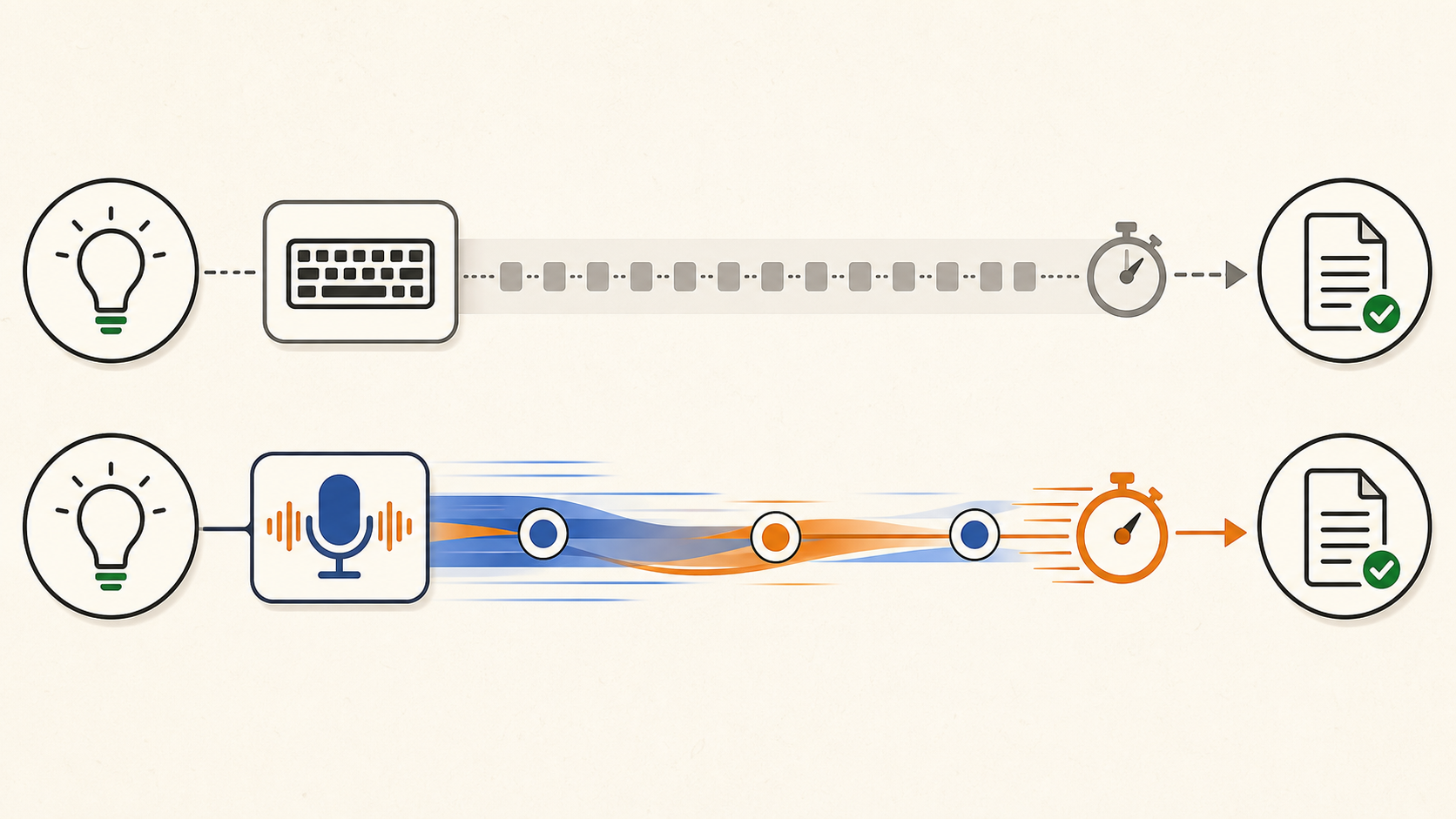
The easiest prompt is the one you can say out loudจุดสำคัญไม่ใช่พิมพ์เร็ว — คือให้บริบทได้เยอะขึ้นโดยไม่เหนื่อย
45 WPMtypical keyboard
220 WPMWispr Flow claim
~4×faster from thought to text
More speed is useful. More context is the real advantage.
PROVIDER-REPORTED · Wispr Flow official product pages
daily AI 4/7screenshots
❯ show, don't describe
Don't explain the screen. Show it.แคปหน้าจอ = ตาของ agent — เห็นสิ่งที่คุณหมายถึงเป๊ะ ๆ
this button is wrong
MAC · ⌘ + SHIFT + 4
WINDOWS · ⊞ + SHIFT + S
Agent: “I see it. The button is outside the card and the spacing is inconsistent. I'll fix both.”
daily AI 5/7one good sentence
❯ one good sentence
A strong command has three partsอยากได้อะไร · ใช้บริบทไหน · เสร็จแล้วต้องเห็นอะไร
01 · GOAL
What you want
“Edit this video…”
02 · CONTEXT
What it should use
“…with my saved editing skill…”
03 · DONE
What finished looks like
“…then open the final file for me.”
Goal + context + proof of completion beats a “perfect prompt” every time.
daily AI 6/7the operating loop
❯ good work is a loop
There is no magic prompt — only a better next roundทักษะคือการตรวจผลลัพธ์แล้วส่งกลับไปปรับ ไม่ใช่การเขียน prompt ครั้งเดียวให้สมบูรณ์
PLAN
CHECK
REFINE
วางแผน → ตรวจ → ปรับ
Two or three rounds is normal. Review like a director, not like a person typing every keystroke.
daily AI 7/7everyday habits
❯ small habits I use every day
Three tiny habits that stickใช้ทุกวันจริง — ลดการอธิบายซ้ำและลดงานแก้
01 · MEMORY
Important? Say “remember this.”
Have the agent save the rule into a file, not just nod in chat.
02 · FOCUS
New task? Start a new chat.
A fresh desk thinks better. Your files carry the knowledge over.
03 · RISK
Big job? Ask for the plan first.
Change the plan while it is cheap — then let the agent run.
“Show me before and after.”“Try three versions.”“Undo that.”“Test it and prove it.”
field guide · 03agent basics
03
❯ chapter three
Agent basics.
The agent is only as useful as the context it can read, the tools it can use, and the loop it can run.ความเก่งไม่ได้อยู่ที่แชตอย่างเดียว — อยู่ที่ไฟล์ เครื่องมือ และลูปตรวจงาน
agent basics 1/4memory
❯ files are the memory
Chat is working memory. Files are long-term memory.แชตยาวแล้วลืม — ไฟล์เปิดใหม่กี่ครั้งก็ยังอยู่ และส่งต่อให้ agent ตัวอื่นได้
The next unlock: it checks its own workagent เปิดของจริง แคปดูเอง แล้วแก้เอง — คุณไม่ต้องเป็นคนส่งภาพกลับไปตลอด
01Open the real page or render.
02Screenshot and measure the result.
03Find what is broken or ugly.
04Fix it — then run the loop again.
RECEIPT · this deck was built with render → inspect → fix loops
agent basics 4/4automation
❯ automate the recurring
Do it twice. Automate the third.อย่า automate สิ่งที่ยังไม่เข้าใจ — ทำจริงสองรอบ แล้วค่อยเก็บเป็นระบบ
ROUND 01
Teach the job
Run it together. Discover the real steps.
ROUND 02
Correct the taste
Fix what repeats. Write the preferences down.
ROUND 03 → ∞
Make the system
Skill + tools + logs. The job can now run again.
field guide · 04receipts
04
❯ chapter four
The receipts.
AI is not impressive because it talks. It is impressive when the work, time, and numbers change.อย่าวัดจากคำตอบสวย — วัดจากงานที่เสร็จ เวลา และตัวเลขจริง
receipts 1/2the bill that never came
❯ conservative editing economics
The editor I didn't hire161 ชิ้นที่โพสต์จริง × เรตฟรีแลนซ์แบบประหยัดสุด ๆ
฿129,250Estimated low-end editing cost avoided — while keeping infinite revisions.
The system does the repeatable work. I spend the time on judgment.
ESTIMATE · actual output volume × ~2h manual editing per piece
after class · optionalextra homework
+
❯ keep building
Extra homework: add the motion layer.
ButaCut decides what stays. Remotion makes the approved story move.เก็บระบบตัดต่อเดิมไว้ แล้วเพิ่ม Remotion สำหรับ captions, motion graphics, overlays และ final render
extra homework 1/2Node + Remotion setup
❯ one prompt installs the next layer
Give your editor a Remotion studioNode LTS → Remotion project → official skill → vertical render check → update your editor skill
extra homework · copy after class
Upgrade this workshop project with a separate Remotion workspace. Preserve every existing ButaCut, Python, footage, skill, and output file; do not replace the current workflow.

1. Detect my operating system and architecture. Check node, npm, and npx. If any are missing, install the current Node.js LTS (not Current) from official sources only: on Mac use Homebrew or the official Node installer; on Windows use "winget install OpenJS.NodeJS.LTS" or the official nodejs.org MSI. Open a fresh shell and verify all three versions.
2. From the current project root, create "remotion-studio" with:
   npx create-video@latest --yes --blank --no-tailwind remotion-studio
   Keep it inside this project and do not create or keep a nested Git repository.
3. Install the official Remotion skill at project scope:
   npx skills add remotion-dev/skills --skill remotion-best-practices
   Choose the agent I am using if prompted.
4. Configure a vertical starter composition named CreatorVideo at 1080x1920, 30fps, with public/media, src/components, src/compositions, and out folders. Add scripts for Remotion Studio, a one-frame still, a full render, and typecheck. Use frame-driven Remotion animation, not CSS animation.
5. Add a rule to butabuilds-editor-skill: keep transcription and cut decisions in ButaCut/FFmpeg; use Remotion for captions, motion graphics, overlays, compositing, and final rendering when it improves the result. Before rendering, show which layer each tool will handle and wait for my approval.
6. Install dependencies, run typecheck, render a still to out/setup-check.png, start Remotion Studio in the background, open it in my browser, and say READY only when every check passes. Show the versions, paths, and check results.
extra homework 2/2free skill library
❯ download · unzip · install for this project
Four free skills worth keepingกดดาวน์โหลดจากสไลด์หรือหน้า materials — ไม่ต้องใช้ API key